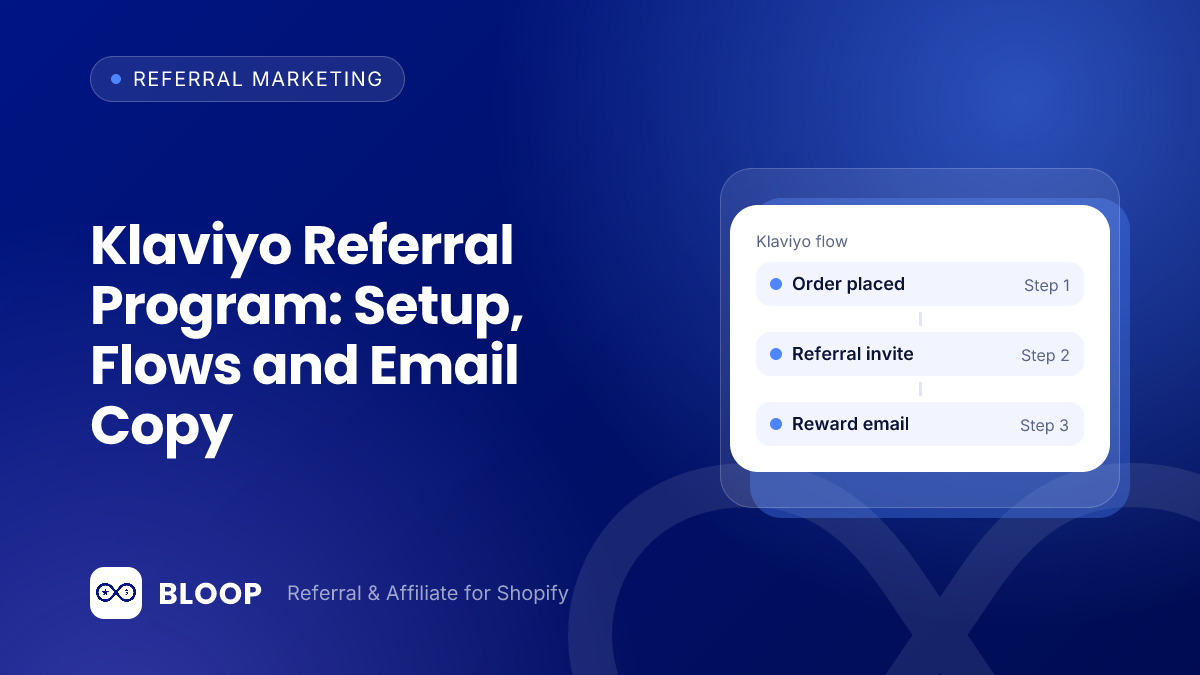
A Klaviyo referral program works like this: your referral app creates the links, codes and rewards, and Klaviyo sends the messages around them. With BLOOP on Shopify, every referrer becomes a Klaviyo profile with their link, code and referral totals, and BLOOP sends events such as “Successful referral” that you can use as flow triggers. You then build three flows (invite, reward earned, friend reminder) and keep the rest in BLOOP’s built-in emails.
This guide covers the exact requirements, what BLOOP writes into Klaviyo, the Klaviyo concepts that matter, a table of flow recipes, copy you can adapt, a worked example of what a flow is worth, and a checklist for when the data does not show up.
Key takeaways
- The Klaviyo sync for referral programs needs BLOOP Premium. BLOOP’s docs say the referral program integration requires the Premium plan ($59.90 per month, 7-day free trial). The affiliate section of the integration has no plan restriction.
- Use segments for who, flows for when. BLOOP’s own advice is to build segments from profile properties and trigger flows from events. Mixing the two is where flows go wrong.
- Three flows cover most programs. An invite after purchase, a reward-earned message and a friend reminder. Each one replaces a built-in BLOOP email, so turn the matching built-in off to avoid sending twice.
- Rewards must still fit your margin. In the worked example below, a $6 friend discount plus a $10 credit costs $16 on a $30 profit order, leaving $14.
Who sends what: BLOOP emails versus Klaviyo flows
You do not need Klaviyo to run a referral program. BLOOP sends its own emails to referrers and friends. Per BLOOP’s email documentation, the referrer gets a welcome email, successful rewards (one per reward type), pending rewards, decline rewards, a “not enough referees” notice, referral progress, reward expiry reminder, reward reminder, cash payout notification and a “remind referrer to refer” message. The friend gets the email invitation from the referrer, a discount claim email, and their own expiry reminder and reward reminder. Every template can be edited.
Klaviyo is worth connecting when you want those messages to live next to the rest of your lifecycle marketing: the same brand template, the same send-time rules, the same reporting, and the ability to combine referral data with order history. BLOOP’s integration overview puts it this way: “If you already run lifecycle email somewhere else, you can hand the events over instead and keep every message in one place.” BLOOP’s email documentation says each built-in template has its own switch on the Email notifications page, so you choose, email by email, which ones Klaviyo takes over.
| Question | Keep BLOOP’s built-in email | Move to a Klaviyo flow |
|---|---|---|
| Do you want it live in an afternoon? | Yes. Edit the subject, body, banner and button, then switch it on. | No. Flows need a design, copy and testing. |
| Do you need the message to depend on order history or other Klaviyo data? | No, unless it only uses referral variables. | Yes. This is the main reason to move. |
| Do you want one send-time and design system for all email? | Partly: sender address and templates are editable. | Yes. |
| Is the message tied to a payout or an approval step? | Yes, for example the cash payout notification. | Optional, after you test the trigger. |
For templates and wording that work in either place, see our referral email template guide and the referral message examples. The feature page for referral emails, Klaviyo and Mailchimp lists the integration options side by side.
Requirements and connection steps
Check these before you start, because the most common failure is a missing permission.
- Plan. The referral program section of the Klaviyo integration requires BLOOP Premium (BLOOP’s docs also call this “Scale” on older plans). The Shopify listing shows Premium at $59.90 per month with a 7-day free trial, and the Free plan includes 10 referral orders and 10 affiliate orders. If you only run an affiliate program, the Klaviyo affiliate section has no plan restriction.
- A private API key in Klaviyo with permission to read and write profiles and events.
- In BLOOP, open Settings, Integration, Klaviyo and switch on the Referral program section, the Affiliate program section, or both.
- Connect. Click Connect, paste the key and select Verify. If Klaviyo rejects it, BLOOP reports the reason. A 403 means the key is valid but lacks a permission scope.
- Save. Press Connect again to save. BLOOP then runs an immediate full profile sync.
After that, BLOOP updates a profile “whenever something about that customer changes.” If you ever need a clean slate, the Re-sync profiles button “rebuilds every profile from scratch.” The page shows progress as a count of profiles processed, and BLOOP stops polling after about 30 minutes, so a very large store should check the result in Klaviyo rather than waiting on the screen.
What BLOOP syncs to Klaviyo
Everything below comes from BLOOP’s Klaviyo documentation. It falls into three groups: properties (facts about a person), events (things that happened) and segments (groups BLOOP builds for you).
Profile properties for referral programs
| Property | What it holds | Where you would use it |
|---|---|---|
| BLOOP Campaigns | List of the customer’s current campaigns | Send the right message to people in a specific campaign |
| BLOOP Campaign Links, BLOOP Campaign Codes | Personal link and code, per campaign | Put the link or code in an email block |
| BLOOP Hub Portal | Permanent link to the referral hub | A “see your rewards” button that always works |
| BLOOP Referral revenue, BLOOP Successful referrals | Lifetime totals | Segments for top advocates |
| BLOOP Is referrer, BLOOP Is referee | Role flags | Flow filters and exclusions |
| BLOOP Joining date, BLOOP Joining source | When and how they joined | Cohorts and reporting |
| BLOOP Purchases needed for next reward, BLOOP Next reward description | Progress toward the next reward | Nudge emails |
Affiliates sync separately from their own section, with their own properties (such as BLOOP Is affiliate, BLOOP Affiliate status, BLOOP Affiliate commission), segments and events. This guide stays on referral. If you run both programs, our guide to referral versus affiliate programs explains how they differ.
Events BLOOP sends
| Event name in Klaviyo | Moment it marks | Natural use |
|---|---|---|
| BLOOP – Join program | A customer joins | Welcome email with their referral link |
| BLOOP – Referral sharing | A referrer shares | Thank-you or tips follow-up |
| BLOOP – Referral purchase pending | A referred order is waiting to qualify | “Your friend ordered, reward on the way” |
| BLOOP – Successful referral | A referral converted | Reward-earned message |
| BLOOP – Referral made ineligible | A referral stopped qualifying | Honest explanation, handled by support |
| BLOOP – Referee receives discount | A friend gets their discount | Friend reminder |
| BLOOP – Left campaign | A customer leaves a campaign | Invite them into another campaign |
| BLOOP – Removed from program | A customer is removed | Exclusion logic |
Two details from the docs matter for flow design. First, “Every event carries the campaign name and id, so a flow can target one specific campaign.” Second, the Successful referral event “carries the reward type and code.” When a customer leaves a campaign, the Left campaign event fires without a link or code, so a later email cannot send them to a dead link.
Segments BLOOP creates
For each referral campaign BLOOP creates a segment named “BLOOP – {campaign name}” whose membership updates automatically. Affiliates get “BLOOP – All affiliates” and one “BLOOP Affiliate – {campaign name}” segment per affiliate campaign. Use these ready-made segments for audiences and build your own on top of the properties when you need something narrower, such as people with three or more successful referrals.
The Klaviyo concepts you need
Five ideas from Klaviyo’s help center are enough to build everything in this guide. Each one is checked against the help pages listed at the end of the post.
| Concept | What Klaviyo says | How it maps to referral |
|---|---|---|
| Profile | “A complete record of contact for each person in your account,” one per contact | Each referrer or friend is one profile that BLOOP keeps up to date |
| Property | Custom properties “store information about the contacts in your account” | The BLOOP properties in the table above |
| Event (metric) | The profile shows an activity log and key metrics, and a metric-triggered flow starts when someone takes a specific action | The “BLOOP – …” events start flows |
| Segment | Dynamic groups that update in close to real time | The “BLOOP – {campaign}” segments and your own |
| Flow | “A sequence of automated actions … triggered by certain behavior or event” | Your invite, reward and reminder automations |
Two flow tools decide who gets a message. A trigger filter restricts entry “based on data associated with the triggering event,” so you could limit a flow to one campaign using the campaign name the event carries. A flow filter restricts entry based on a profile’s behavior or attributes, which is where the Is referrer and Is referee properties help.
Klaviyo also explains how contacts move: someone who qualifies is scheduled for the first step at once, and a recipient is scheduled for only one step at a time in a live flow. Messages use “whatever is the current version of a message at send time,” so edits to a live flow reach people who are already waiting. Test in draft or manual status first. Klaviyo’s three statuses are draft (nothing sends), manual (you approve each send) and live.
Segments for who, flows for when
BLOOP’s documentation gives one rule worth repeating: build segments from profile properties and the ready-made campaign segments, which are standing facts, and trigger flows from events, which are moments. A segment answers “who is a top advocate right now.” A flow answers “what do we send the second a referral converts.”
A practical example. You want to thank people after their third successful referral. Do not make that a segment-triggered flow that checks the count on a schedule. Trigger the flow from the Successful referral event and add a filter on the BLOOP Successful referrals property, so the message goes out at the moment the count reaches three. For a standing audience, such as a quarterly note to everyone at five or more, use a segment on the same property. BLOOP’s docs make the same point about gratitude: trigger off the Successful referral event so it “lands the instant a referral converts.”
Flow recipes for a Klaviyo referral program
The table is the overview. The text after it covers the three flows most programs need, then two optional extras. Timing values are starting points to test, not rules.
| Flow | Trigger | Wait and filter | Goal | Built-in BLOOP email it can replace |
|---|---|---|---|---|
| 1. Invite after purchase | Placed Order (from your Shopify and Klaviyo connection), or BLOOP – Join program | Delay of several days after delivery; filter out people who already are referrers | Get happy customers to join and share | Welcome to referral program, remind referrer to refer |
| 2. Reward earned | BLOOP – Successful referral | No delay; trigger filter on campaign | Thank the referrer, show the reward, ask for the next share | Successful rewards |
| 3. Friend reminder | BLOOP – Referee receives discount | Delay, then check whether they ordered | Convert friends who claimed but did not buy | Reward reminder, expiry reminder (referee) |
| 4. Level-up (optional) | BLOOP – Successful referral with a count filter | Filter on BLOOP Successful referrals | Recognize milestones | Referral progress |
| 5. Second campaign (optional) | BLOOP – Left campaign | None | Offer a different campaign | None |
Flow 1: Invite after purchase
The invite flow asks a recent buyer to join. Klaviyo’s help center lists post-purchase among the first flow types to build, and this is the referral version of it. Two paths exist. If your store already sends order events to Klaviyo, trigger on Placed Order. If you prefer to keep it inside the referral tools, trigger on BLOOP – Join program for people who have just joined, and use the welcome email to hand over their link.
For the Placed Order version, wait long enough for the product to arrive and be used. Klaviyo’s timing guidance says to place a delay “before any split” so people have time to act, and the same logic applies here: asking for a referral on the day of purchase is too early for most products. Use a flow filter so people who are already referrers, according to the BLOOP Is referrer property, do not get an invitation they cannot use. Point everyone else to your referral page, where they can join. To put the offer where customers already look, see the guide to the referral popup, page and post-purchase block.
Flow 2: Reward earned
This is the highest-value flow because it fires at the moment a customer feels good. Trigger it on BLOOP – Successful referral. The event carries the campaign name and id, so add a trigger filter if you run more than one campaign and want different wording for each. It also carries the reward type and code, so the message can say what was earned. Open a test profile’s activity log in Klaviyo to see the exact event fields before you build the template.
Check reward timing first. BLOOP’s reward timing settings say the review period default is 6 hours, a referral counts when the order is Paid (default) or Fulfilled, and by default a reward is revoked when the order is cancelled or refunded. An order counts as refunded when 90% or more of its item value is refunded. Suspicious orders are always held separately. So the event does not fire the second the friend clicks buy. It fires when the referral succeeds under your rules, and your copy should say “thanks, your reward is ready” only after that point. The reward types themselves (discount coupon, store credit, free product, cash, custom) are covered in the referral rewards feature page.
Flow 3: Friend reminder
A friend who has claimed a discount but not bought is the cheapest conversion you have. Trigger on BLOOP – Referee receives discount, wait, and then check whether the profile has ordered. Klaviyo’s timing article is explicit about the order of steps: put the delay before the split. A three-day wait is a reasonable first test for most stores. If the friend already ordered, the flow ends. If not, send one reminder with the code and the expiry.
BLOOP already has referee reward reminder and expiry reminder emails. Run one or the other, not both. If your discount expires, state the date in the message, because Shopify’s own discount code settings let you set an end date and a usage limit, and a code that silently stopped working is the fastest way to lose trust.
Optional flows: level-up and second campaign
If you use tiered rewards, the BLOOP properties “Purchases needed for next reward” and “Next reward description” let an email say how close someone is to the next level. For a tiered setup, read how FlexiTiers issue rewards first. The Left campaign event is a clean trigger to invite a customer into a different campaign, which BLOOP’s docs list as an intended use.
Avoid sending twice
When a Klaviyo flow replaces a BLOOP email, disable the matching one in BLOOP under Email notifications. Without that, the customer receives both: BLOOP’s Successful rewards email and your Klaviyo thank-you. This is the most common mistake after connecting, and it costs you an unsubscribe for no gain.
Email copy you can adapt
These examples use placeholders in square brackets. Replace them with your own brand voice, reward and Klaviyo variables. Keep each email to one idea and one button. Real offers on the market are simple: as of October 2026, Huel’s referral page reads “Give 25%. Get 25%.” and Seed’s reads “Send a friend $25 off Seed.” Both lead with the friend’s benefit and the rule that makes it fair, such as “Referee must be a new customer” on the Huel page.
Email A: Invite after purchase
- Subject: Give a friend [friend reward], get [your reward]
- Preview text: Takes a minute, and your friend gets a first-order discount.
- Body: Hi [first name], we hope [product] is working out. If you know someone who would like it, send them your link. They get [friend reward] on their first order. When they buy, you get [your reward]. [Button: Get my link]
- Fine print line: New customers only. [Link to your referral terms]. You can unsubscribe at any time.
Email B: Reward earned
- Subject: [Friend first name] just ordered. Your reward is ready.
- Body: Thanks for spreading the word, [first name]. Your friend’s first order came through, so we added [reward type and value]. [If a code: use it at checkout, valid until [date].] See all your rewards in your referral hub. [Button: View my rewards] Want to earn another one? Your link is below.
Email C: Friend reminder
- Subject: Your [friend reward] is still waiting
- Body: [Referrer name] thought you would like [brand]. Your [friend reward] on a first order is still yours until [expiry date]. Use code [code] at checkout. [Button: Shop now]
Keep claims in the copy honest and specific. If the reward only applies to some products, say so. BLOOP’s docs warn that a reward restricted to one collection still shows as a flat percentage unless you write the display text, and the customer finds out at checkout. A vague promise that fails at checkout “costs you more in support tickets and trust than the discount was ever worth.”
Compliance for referral email
This is general information, not legal advice. Two US rules touch every email in this guide.
CAN-SPAM. The FTC says the law covers “all commercial messages,” and “makes no exception for business-to-business email.” Its requirements include accurate header information, a subject line that reflects the content, a clear disclosure that the message is an advertisement, a valid physical postal address, a clear way to opt out, and honoring opt-outs within 10 business days. Each separate violating email can bring penalties of up to $53,088, and “You can’t contract away your legal responsibility to comply,” so using Klaviyo does not move the responsibility off you. Check that your sender address and opt-out wording are in place in every template you build.
Endorsement disclosure. When a customer shares your link and earns a reward, they are making a recommendation with a financial interest. The FTC’s Endorsement Guides Q&A says that for gifts or incentives, the question is whether knowing about it “would affect the weight or credibility your readers give to your recommendation. If it could, you should disclose it.” It also tells advertisers to “have reasonable programs in place to train and monitor members of their network.” For referral emails, that means giving customers a share message that already mentions the reward, so the relationship is visible in the message their friend reads. Our referral fraud guide covers the abuse side of the same program.
What a flow is worth: a worked example
All numbers below are assumptions for illustration, not benchmarks. Replace them with your own. Assume the invite flow reaches 1,200 customers a month, and the first order from a referred friend brings $30 of profit after product, shipping and fees. The friend gets $6 off, and the referrer gets $10 in store credit. BLOOP’s advice for choosing rewards is to keep the referrer reward plus the referee reward below the profit on a referred order. Here the rewards total $6 + $10 = $16, which is below $30.
| Step | Assumed rate | Result per month |
|---|---|---|
| Customers reached by the invite flow | Input | 1,200 |
| Customers who join the program | 10% | 120 |
| Joiners who bring at least one friend who buys | 25% | 30 |
| Successful referrals per active referrer | 1.5 | 45 |
| Profit on first orders (45 x $30) | $1,350 | |
| Rewards paid (45 x $16) | $720 | |
| Profit after rewards | $630 |
That is $14 left per referred order ($30 minus $16). It is before the cost of Klaviyo and BLOOP, and before any repeat purchases, which are upside rather than part of the base case. The sensitivity matters more than the total: if only 5% join instead of 10%, referred orders fall to 22.5 and profit after rewards to $315. To test your own inputs, use the free referral ROI calculator, and read how to calculate referral program ROI for the full method.
Measuring results
Measure in two places, because each sees a different half.
| Question | Where to look | What to compare |
|---|---|---|
| Did the flow get opened and clicked? | Klaviyo flow analytics | Each message against the others in the same flow |
| Did people join and share? | BLOOP referral analytics | Shares per impression, successful referrals per share |
| Did friends buy? | BLOOP analytics and your order data | First referral revenue against repeat revenue |
| Is the reward still profitable? | Your own margin math | Rewards per referred order against profit per referred order |
BLOOP’s analytics guide points to two ratios: shares per impression and successful referrals per share. For example, 8,000 impressions and 400 shares is a 5% share rate, and 40 successful referrals from 400 shares is 10%. BLOOP’s example reads the low share rate as the bottleneck, so the fix there was a stronger friend incentive, not more emails. Change one thing at a time, and use BLOOP’s A/B testing for reward values, because a flow edit changes copy and timing at once. Klaviyo uses “whatever is the current version of a message at send time,” so record the date you change a live flow, or your comparison will mix old and new versions.
Troubleshooting checklist
- Verify fails with 403. The key is valid but lacks a permission scope. BLOOP’s docs say to adjust the key’s permissions (read and write for profiles and events) rather than generate a new key.
- The integration section will not switch on. Check your plan. The referral section needs Premium.
- Old customers have no properties. Run Re-sync profiles, which rebuilds every profile from scratch, and check Klaviyo after the sync finishes.
- A flow never fires. Confirm the event exists in the activity log of a test customer’s Klaviyo profile. A Successful referral only fires after review periods and fraud holds end, so a test order can look stuck when it is only waiting.
- Customers get two emails. Disable the matching built-in email in BLOOP.
- Old link and code properties look wrong. BLOOP shows an “Upgrade available” badge next to Re-sync profiles for older profiles. Per the docs, the old BLOOP Referral link property then points to the advocate’s hub.
Limits and fair caveats
Be clear about what this setup does not do. BLOOP’s integration overview page does not state a plan requirement, but the Klaviyo page does for the referral section, so confirm in your own account before you promise the flow to a client. The Klaviyo page also does not list the individual fields each event carries beyond the campaign name and id (and, for Successful referral, the reward type and code), so check a real event before you design a template around a field. Mailchimp is the other integration, and it has its own profile properties (such as a BLOOPHUB hub link). This guide does not cover it.
Finally, an integration does not fix a weak offer. If few customers share, test the reward and where the offer appears before you add more flows. Our store credit versus discount guide helps you pick the reward, and the guide to promoting referral programs covers placement.
What it costs to run with BLOOP
BLOOP has a Free plan at $0 that includes 10 referral orders and 10 affiliate orders, and the Shopify listing names fraud prevention and A/B testing among BLOOP’s features. Premium is $59.90 per month with unlimited orders, a custom email sender address and a 7-day free trial, and it is the plan that carries the Klaviyo referral sync. Klaviyo is billed separately by Klaviyo. See the pricing page for the current plan details. The Shopify listing shows a 4.9 rating from 217 reviews.
Ready to connect? Install BLOOP from the Shopify App Store, start the Premium trial, create a Klaviyo key with read and write access to profiles and events, and build the Reward earned flow first.
Frequently Asked Questions
Does the Klaviyo integration require a paid BLOOP plan?
For the referral program, yes. BLOOP’s documentation says the referral program section of the Klaviyo integration requires the Premium plan, which is $59.90 per month with a 7-day free trial. The affiliate program section has no plan restriction.
What permissions does the Klaviyo API key need?
A private API key with permission to read and write profiles and events. If you see a 403 when you verify, the key is valid but missing a permission scope.
Should I use a segment or an event to start a referral flow?
Use an event for moments and a segment for standing groups. Trigger the reward-earned message from the Successful referral event. Use a segment on the Successful referrals property for audiences such as top advocates.
Will customers get duplicate emails from BLOOP and Klaviyo?
They can if both send the same message. Disable the matching built-in email in BLOOP’s Email notifications whenever a Klaviyo flow replaces it.
Does BLOOP send the referral link into Klaviyo?
Yes. Each customer’s personal link and code are stored per campaign, and a permanent hub link is stored as the BLOOP Hub Portal property, so later emails can always send the customer to their rewards.
Do I need Klaviyo to run a referral program on Shopify?
No. BLOOP sends its own editable referral emails, and it also integrates with Mailchimp. Klaviyo helps when you want referral messages to follow the same design, timing and reporting as the rest of your email.