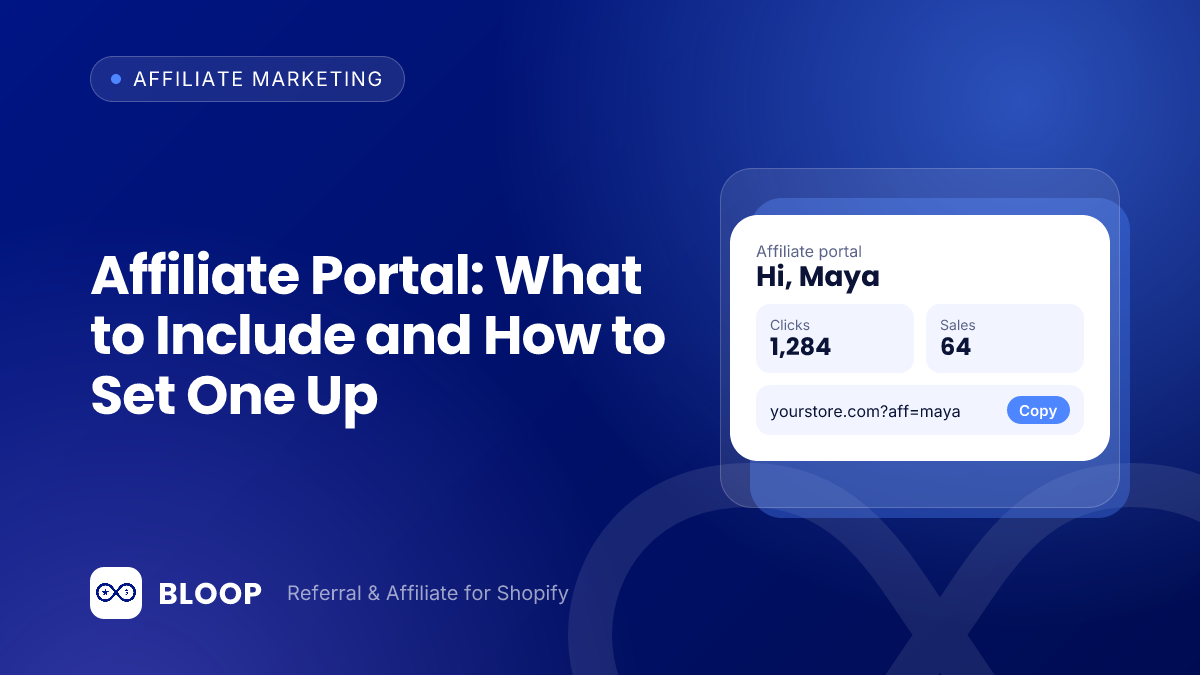
An affiliate portal is the private workspace where your approved affiliates get their link or code, watch their sales and commissions, add a payment method, and read your rules. A good one answers the questions affiliates would otherwise email you: where is my link, did my sale count, when do I get paid, and what am I allowed to say. On Shopify you get a portal from a network, from an app, or you build one yourself, and the choice decides how much of the experience you control.
This guide defines the portal, lists the sections that matter, compares what to look for in a table, shows how to design onboarding inside the portal, and explains what BLOOP’s portal does and does not do, using BLOOP’s documentation and what real brands say on their own affiliate pages.
Key takeaways
- A portal is a workspace, not a landing page. The landing page recruits. The portal serves partners after you approve them.
- Five sections carry most of the value. Dashboard, links and codes, creatives, payouts, and terms. Add a short onboarding guide on top.
- Brands do it three ways. Of the brand and platform pages we read, Stanley 1913 and Blendtec use AvantLink, Magic Spoon and Shopify use Impact, and Allbirds sends social creators to Superfiliate and publishers to Impact.
- BLOOP’s portal is branded and manual where money is concerned. You style it, write the guide, and affiliates choose a payment method in it, but BLOOP never moves money itself.
- Check the gaps before you promise anything. BLOOP’s docs describe a link, sales and payout view and a guide, but no creatives library, no bulk affiliate import and no paused status.
What an affiliate portal is
BLOOP’s documentation describes the affiliate journey as having a front door and a workspace. The front door is the registration form, where you screen applicants. The workspace is the portal. BLOOP’s portal-styling documentation describes the portal as the dashboard where partners retrieve their referral link, monitor incoming sales and review payout information.
That definition is the useful one. An affiliate portal is a logged-in place for approved partners. It is not your public affiliate program page (the page that recruits), and it is not your admin. In your admin you approve affiliates, review sales and process payouts. In the portal an affiliate sees only their own link, their own orders and their own balance. BLOOP’s affiliate portal feature page adds a privacy rule: customer email addresses are partly hidden from affiliates and Shopify customer IDs are not shared.
If you are still deciding whether to run an affiliate program at all, start with our guide to starting an affiliate program on Shopify. If you are comparing tools, the best Shopify affiliate apps guide shows how portals differ between them.
Where the portal comes from: four patterns
The brand pages below show four common patterns. Each one is described only as far as the page itself says.
| Pattern | Example from a brand page | What the affiliate gets | Your control |
|---|---|---|---|
| Network dashboard | Stanley 1913 tells affiliates to apply through AvantLink and to monitor performance through the AvantLink dashboard; Blendtec says commissions are “paid on a monthly basis through AvantLink” | The network’s standard dashboard and payout rules | Low. You set the rate and terms, the network sets the experience |
| Platform-run portal | Shopify’s affiliate page says approved affiliates get “your personal dashboard powered by Impact” with “custom referral links, in-depth analytics, payment tracking, and more”; Magic Spoon says Impact Radius handles reporting, payments and account information | A mature dashboard with payments handled by the network | Low to medium |
| Store-branded app portal | Shopify Collabs gives creators a dashboard and automated commission payouts through Shopify Billing; BLOOP gives a portal carrying your logo, color and guide | A portal that looks like your brand | High on look and wording, varies on money movement |
| Split by audience | Allbirds sends social ambassadors to a Superfiliate portal and media publications to Impact | Different portals for different partner types | Depends on each |
Two details from those pages are worth noticing. Magic Spoon’s page asks for a minimum of about 10 cases of cereal a month, or around $400 in revenue, and gives each affiliate “a custom $5 off code and link.” A portal that holds both a link and a code is common. And Allbirds publishes no commission rate or cookie length on its page, only that commission is paid on net sales, so a recruiting page can leave the numbers for the portal. We do not recommend that for a small brand, because applicants compare numbers before they apply.
The five sections a portal needs
1. Dashboard
The dashboard answers one question at a glance: am I earning? It should show clicks if you track them, orders, commission by status and the current balance. BLOOP’s sales documentation uses four statuses: Pending (“Recorded and awaiting your review. Not yet payable.”), Approved (“Valid and confirmed. Counts toward the affiliate’s payable balance.”), Rejected (“Declined (e.g. cancelled order, fraud, returned). No commission owed.”) and Paid (“Included in a completed payout.”). Affiliates see the sale as a pending earning in their portal as soon as it is recorded.
Status wording matters more than charts. If an affiliate sees pending and does not know what it means, they email you. Define each status on the portal in one line.
2. Links and codes
Each approved affiliate in BLOOP gets a unique referral link code, generated automatically, and optionally a personal discount coupon. BLOOP prevents assigning a coupon that another affiliate already uses. The link should be easy to copy, and the code should be shown beside it, because many audiences prefer to say a code out loud. Shopify’s own help page for discount codes shows the limits you can set on a code, such as a cap on the number of times it can be used and a maximum of one use per customer, so decide those limits before you hand codes out.
If you want a trust cue on the store itself, BLOOP offers an optional identifier bar for visitors who arrive through an affiliate link. The default message is “You’re shopping with” followed by the affiliate’s name, and you can write your own with variables such as the first name and the coupon code. It is set under Affiliate, Branding, On-site content.
3. Creatives
Creatives are banners, product images, copy blocks and brand rules. This is the section most programs underbuild and most portals leave to you. BLOOP’s portal guide supports a rich-text editor with image uploads, so you can place images and copy there, but the docs I read do not describe a separate asset library or banner manager. If your program depends on a creative library, plan to link out to a shared folder from the guide and test that the link works for people outside your company.
What to include: three logo versions, five to ten product photos with usage rules, two or three caption ideas, and a short “do not say” list. The “do not say” list matters for compliance, below.
4. Payouts
The portal should show what is owed, what is paid and how to get paid. In BLOOP, affiliates select and configure their payment method in the portal from the methods you enable. Four built-in methods exist: PayPal (email required), bank transfer (account details required), Google Pay (email required) and debit cash (card number required), and each field can be customized. The Pending view in your admin shows each affiliate’s outstanding balance alongside the method they chose.
Be clear about the limit. BLOOP does not pay automatically. In the docs, “Bloop never moves money itself”: you send the money through your bank, PayPal or another tool, then record the payout. A Message for affiliate field shows in the portal’s Payouts table, which is the right place to say “paid by bank transfer on the 15th.” Our guide to how to pay affiliates covers timing, minimums and records, and the affiliate payouts feature page shows the BLOOP flow.
Real programs publish payout rules, and the portal should repeat them. Shopify’s affiliate page says commissions are issued monthly on the 22nd for the previous month and that affiliates need a minimum balance of $10 USD before withdrawals. Blendtec Europe states a payout 2 months after qualified sales and a minimum payout of 50 pounds or 50 euros. Those two numbers differ widely, which is the point: state yours in the portal, not only in an email.
5. Terms
Put a short terms summary and a link to the full terms where affiliates will see it. BLOOP’s default guide ends with a reminder to review the full program terms, and the registration form can include a terms agreement checkbox linked to your terms. Our guide to affiliate program terms and conditions lists what the full document should cover.
Table: features to look for
Use the table as a scorecard when you evaluate any portal, including BLOOP’s. The right column is what BLOOP’s documentation says, so you can compare.
| Feature | Why it matters | Question to ask a vendor | What BLOOP’s docs say |
|---|---|---|---|
| Branded look | Affiliates trust a portal that looks like your brand | Can I set logo, color, title and favicon? | Yes: primary color, portal title, logo and favicon under Branding, Portal style |
| Link and code | The first thing every affiliate needs | Is the link automatic? Can I assign a code? | Automatic link code; optional personal coupon, never shared between affiliates |
| Onboarding guide | Cuts support email | Can I edit the first-run content? | Yes: editable guide with four default sections |
| Commission display | Avoids rate disputes | Does each affiliate see their own rate? | Yes: the commission variable shows each affiliate’s rate (the top-tier rate for tiered commissions) |
| Sales view | Trust in tracking | Does the affiliate see pending, approved and paid? | Yes: four statuses with filters on your side |
| Payment methods | Affiliates are paid how they choose | Which methods, and who moves the money? | Four built-in methods; you move the money |
| Custom domain | Brand polish | Can the portal live on my subdomain? | Yes, on any plan; guided setup through support |
| Translations | Partners abroad | Can the portal be translated? | Yes: portal translations |
| Creatives library | Faster, safer content | Is there an asset manager? | Not described in the docs I read |
| Bulk import | Migrating partners | Can I import a spreadsheet? | No bulk CSV import; manual add or self-registration |
Designing onboarding inside the portal
Onboarding inside the portal means the affiliate never has to leave to find out what to do next. BLOOP’s default portal guide is a good skeleton. It has four sections: Getting started (a numbered checklist covering signup, profile completion, payment setup, getting the link and starting promotion), Commission structure, Promotion tips (such as reviews, social sharing and product mentions) and Terms and conditions. The docs recommend emphasizing “the fastest path to a first sale” and stating the commission clearly rather than treating the guide as legal documentation.
Build the guide around the first seven days:
| Day | Affiliate action | What the portal shows | Email that supports it |
|---|---|---|---|
| 0 | Approved, opens the portal | The guide, the link, the code | Welcome with a login link |
| 0 to 1 | Adds a payment method | The payment method form | A reminder if it is still empty after two days |
| 1 to 3 | Copies the link and posts | Creatives and the “do not say” list | Three post ideas |
| 3 to 7 | Gets a first click or sale | Dashboard with pending earning | A congratulation on the first sale |
| 7 | Decides to continue | Payout rules and terms | A check-in from a person |
The payment method step is the one to push. BLOOP’s payout documentation says Process to pay is disabled until the affiliate adds a method in their portal, so an affiliate with a good month and no payment method creates an awkward delay for both sides. Our guide to affiliate onboarding emails has the copy for each email in the table.
Test it as the affiliate
BLOOP lets you preview any affiliate’s portal session with Login as affiliate. Each login-as link works once and expires after 5 minutes. Use it to check three things: that the guide variable shows the right commission, that the payment form has the methods you intended, and that the sales list does not leak buyer emails.
Branding and the portal address
BLOOP’s portal-styling page lists four settings: primary color (hex), portal title, logo (a transparent-background image works best) and favicon (square). Its advice is to “Match the portal to assets affiliates already see elsewhere”, with the logo from your storefront, your real brand color and a portal title that names your program. It lists three pitfalls: a blank portal title (which shows a generic default), accent colors with poor text contrast, and publishing without a preview in the Go to portal tab.
On the address, the default portal link is a shared portal domain plus a store-specific subpath. The subpath is fixed per store, so affiliates can reach the portal before you set up a custom domain. A custom domain such as partners.yourstore.com is possible on any plan, and it is a guided request: you ask support for the portal service IP address, add an A record in your DNS provider and tell support the URL. The docs say to use a subdomain, not your root domain, so you do not take your storefront offline. If you downgrade your plan, the portal reverts to the shared domain.
The portal and the law
Two compliance topics belong in the portal, because that is where affiliates read your rules.
First, disclosure. The FTC’s Disclosures 101 for influencers says to disclose “any financial, employment, personal, or family relationship with a brand,” to place the disclosure so it is “hard to miss” and with the endorsement itself. It lists terms that work, such as “advertisement,” “ad” and “sponsored,” and warns against unclear terms such as “sp,” “spon,” “collab” and “ambassador” on its own. The FTC’s endorsement question-and-answer page says an affiliate can disclose with a simple statement such as “I get commissions for purchases made through links in this post,” and that advertisers need “reasonable programs in place to train and monitor members of their network.” The portal guide is the natural home for that training. Put the disclosure wording and an example post in the Promotion tips section.
Second, tax paperwork. The IRS says Form W-9 is used “to provide your correct Taxpayer Identification Number (TIN) to the person who is required to file an information return,” and its 1099-NEC instructions say to file the form for payments of “at least $2,000” in nonemployee compensation, on or before January 31. Whether your affiliates are covered depends on who they are and where they live, so ask your accountant. What the portal can do is tell US affiliates up front that you may ask for a W-9 before the first payout. BLOOP’s docs do not describe a tax form collection feature, so plan to collect it outside the app.
An illustrative support-cost example
These numbers are illustrative, not measurements. Suppose you run 100 active affiliates and each sends three questions a month about links, sales or payouts. At 5 minutes per answer, that is 100 times 3 times 5, or 1,500 minutes, which is 25 hours a month. If a clear guide and status definitions in the portal answer 60 percent of those questions, you save 15 hours a month. Replace the figures with your own counts; the exercise shows why the guide and the status wording are worth an afternoon.
Limits to check before you commit
- No separate creatives manager in the docs read. Use the guide and a shared folder.
- No bulk CSV import of affiliates. They join by manual add or self-registration.
- No paused status. BLOOP has Pending, Approved and Rejected. To stop an affiliate from earning, set them to Rejected.
- An approved affiliate needs a campaign to earn. Only affiliates approved automatically at registration get the default campaign, so assign one when you approve by hand.
- Partial refunds lower a commission, they do not revoke it. BLOOP rejects the sale automatically only for cancelled or fully refunded orders, and a paid commission is never revoked.
- No automatic money movement. You send every payout and record it.
For the numbers a portal should display, see our affiliate tracking on Shopify guide, and for how to find the people who will use it, read how to find affiliates for your Shopify store. The affiliate portal and registration feature page shows the BLOOP screens and settings.
What it costs to run with BLOOP
BLOOP prices by the attributed revenue your referral and affiliate programs bring in over the last 30 days: Free ($0) up to $400, Starter ($39 per month) up to $2,500, Growth ($149 per month) up to $10,000, Pro ($449 per month) up to $40,000, and custom pricing above that. Orders are unlimited on every plan, and every plan, Free included, has the branded referral page, widget and portal and a custom email sender address. Paid plans add the Klaviyo and Mailchimp integrations, API and webhooks, and priority support. Compare plans on the pricing page and read the affiliate program page for the full product.
Ready to build yours? Install BLOOP from the Shopify App Store, style the portal, edit the guide and use Login as affiliate to walk through it as a new partner.
Frequently Asked Questions (FAQ)
What is an affiliate portal?
It is the logged-in workspace where approved affiliates get their link and code, track sales and commissions, add a payment method and read your rules. In BLOOP, the docs describe it as the dashboard where partners retrieve their link, monitor sales and review payout information.
Is an affiliate portal the same as an affiliate landing page?
No. The landing page recruits applicants before they join. The portal serves them after you approve them.
Can affiliates see who bought?
Only partly. BLOOP’s feature page says customer email addresses are partly hidden from affiliates and Shopify customer IDs are not shared.
Can I put the portal on my own domain?
BLOOP supports a custom subdomain such as partners.yourstore.com on a paid plan. It is a guided request through support, and the portal reverts to the shared domain if you downgrade.
Does BLOOP pay my affiliates through the portal?
No. Affiliates choose a payment method in the portal, but BLOOP never moves money itself. You send the payment and record it as paid.
Do I need a portal if I only have five affiliates?
You can run five partners from a spreadsheet, but a portal still saves the repeated questions about links, sales and payouts. The Free plan includes a branded portal and unlimited orders, up to $400 of attributed revenue per 30 days.