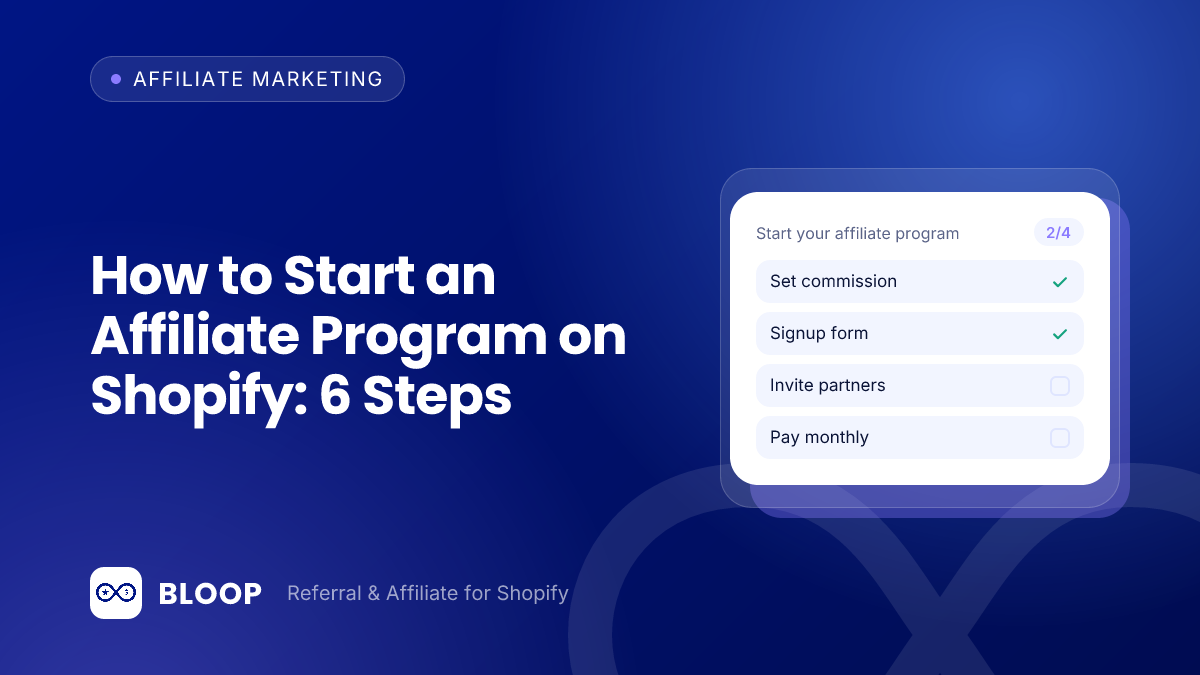
To start an affiliate program on Shopify, pick a commission your margin can carry, choose a tool that tracks links and commissions, approve your first partners, set up payouts, and test one order before you announce anything. With a campaign, a payment method and a short list of affiliates, a basic program can run in an afternoon, and a well-prepared launch takes about four weeks from decision to announcement.
This guide walks through the six steps with worked arithmetic for the commission rate, a 12-month cost model and the break-even point. It also covers what real brands publish on their own affiliate pages and the legal and tax basics of paying partners in the US.
Key takeaways
- Start from margin, not from what competitors pay. On an $80 order with assumed costs, about $42.38 is left before commission, so a 15% commission ($12.00) leaves $30.38.
- Budget the whole year. In our cost model, a 15% program with software at $59.90 per month costs $3,948.80 in cash at 240 affiliate orders a year, before any time cost.
- Published programs cluster between 7% and 20%. The five brand pages we checked in October 2026 state rates of 7%, 8%, 10%, 15% and 20%, with a median of 10%.
- Put the paperwork in writing. Ask affiliates to disclose the relationship, collect a Form W-9 before the first payout, and know the Form 1099-NEC rules.
What an affiliate program is, and what it is not
An affiliate program pays outside partners (creators, bloggers, newsletter owners, review sites) a commission for each order that comes through their personal link or discount code. You pay nothing for clicks, posts or impressions. You pay for sales.
It is different from a referral program, where your own customers share a link with friends and both sides get a reward. Referral works on people who already trust you. Affiliate works on someone else’s audience. BLOOP’s documentation describes it as referral being your depth channel and affiliate being your reach channel. If you are unsure which one you need first, read our comparison of referral vs affiliate programs. Many stores end up running both.
Step 1: Decide what you can afford to pay
Set the commission before you pick a tool. The only number that matters is what is left after the sale and the commission. Here is an illustrative example for an $80 product. The costs are assumptions, so replace them with yours. Payment fees are assumed at 2.9% of the order plus $0.30, which is a common card rate but not necessarily yours.
| Line | No discount | 10% customer discount |
|---|---|---|
| Order value | $80.00 | $72.00 |
| Product cost | $28.00 | $28.00 |
| Shipping and packaging | $7.00 | $7.00 |
| Payment fees (assumed 2.9% + $0.30) | $2.62 | $2.39 |
| Left before commission | $42.38 | $34.61 |
| Commission at 15% of order value | $12.00 | $10.80 |
| Left after commission | $30.38 | $23.81 |
To rebuild it: 2.9% of $80 is $2.32, plus $0.30 gives $2.62, and $80.00 minus $28.00 minus $7.00 minus $2.62 leaves $42.38. With the discount the fee is $2.09 + $0.30 = $2.39 (rounded) and $72.00 minus $35.00 minus $2.39 leaves $34.61.
Two takeaways. First, a customer discount on top of a commission eats into the same margin twice, so decide whether your affiliates get a discount code at all. Second, the break-even commission for a first order here is about 53% of the order value ($42.38 divided by $80). You would never pay that, but the figure tells you how much room you have for repeat purchases, free shipping thresholds and returns.
Choose a commission structure
Pick one of these structures:
- Percentage of sales: simple to explain and scales with basket size. Best when your prices vary a lot.
- Fixed amount per order: predictable cost. Works when most orders are similar in size.
- Fixed amount per item: useful when you sell multipacks or want to reward larger carts.
- Tiered or product-specific rates: a higher rate for bigger orders, or a lower rate on thin-margin products. Add these once the basic version works.
Assume a single item costs $40 and compare three orders: one item ($40), two items ($80) and four items ($160).
| Structure | $40 order | $80 order | $160 order |
|---|---|---|---|
| 15% of order value | $6.00 (15.0%) | $12.00 (15.0%) | $24.00 (15.0%) |
| $10 flat per order | $10.00 (25.0%) | $10.00 (12.5%) | $10.00 (6.3%) |
| $4 flat per item | $4.00 (10.0%) | $8.00 (10.0%) | $16.00 (10.0%) |
The percentages in brackets are the commission as a share of order value ($10 divided by $160 is 6.25%, shown rounded). A flat amount per order is generous on small carts and cheap on large ones, which can push affiliates toward the products you least want to discount. A flat amount per item stays at a constant 10% here only because every item costs the same. BLOOP supports all of these, and we cover the trade-offs in more detail in our guide to setting commission rates and in affiliate commission rates for Shopify.
Decide what counts toward the commission
The commission base matters as much as the rate. BLOOP’s documentation gives a plain example: a 15% rate on a base that wrongly includes $12 of shipping and $8 of tax quietly overpays $3 on every order. That is 15% of $20, or $3.00 an order, and $1,500 over 500 orders.
A per-customer cap is the other lever. Suppose you cap commission at $25 per customer and the commission is $12.00 per $80 order. The first two orders pay $12.00 each ($24.00), and the third pays only the remaining $1.00. BLOOP’s documentation shows the same effect at a larger size: a $2,000 purchase at 15% would normally pay $300, and a $100 cap keeps that at $100. When the cap is reached, later purchases from that customer generate no affiliate commission.
Step 2: Choose where the program will run
You have three realistic options on Shopify, and the right one depends on how much control you want.
| Option | Good for | Watch out for |
|---|---|---|
| Shopify Collabs (built by Shopify) | Stores that want to recruit creators with an application page or direct invites and pay commissions through the Shopify bill | A 2.9% commission processing fee on automatic payments may apply, per its App Store listing |
| A dedicated affiliate app (such as BLOOP) | Stores that want their own recruiting rules, branded portal and one place for referral and affiliate | The free plan is capped by order volume, so check the limits |
| Spreadsheet plus discount codes | A test with two or three friendly partners | Manual tracking breaks as soon as you have more than a handful of sales |
The Collabs listing reads “+ 2.9% commission processing fee on automatic payments may apply” next to a free install, according to the Shopify Collabs App Store listing. Taking that fee at face value, a $12.00 commission would add about $0.35 (2.9% of $12.00 is $0.348), and $1,000 of commissions would add $29. It is small per order, but it sits on top of the commission.
A spreadsheet suits a two-week test and no more, because every refund needs a manual fix. To compare apps side by side, see our roundup of the best Shopify referral and affiliate apps.
Step 3: Set up your first campaign
In BLOOP, a campaign holds the commission structure, and every affiliate belongs to exactly one campaign. BLOOP creates a default campaign for you with a 15% commission and a 30-day attribution window, so you can launch with sensible defaults and adjust later. A campaign holds the commission type (percentage, flat per order or flat per item), the rate, optional tiers, product-specific overrides, caps and the attribution window. Create extra campaigns when you want to treat groups differently, for example a higher rate for proven top sellers. The documentation’s advice is to start everyone on the standard rate and, once an affiliate proves themselves, move them to a second campaign at 18 to 20% rather than starting everyone high. It also lists tiers such as 10% on orders, 15% at $100 and above and 20% at $250 and above as one way to reward larger baskets, as long as each tier still respects your margin. On the $80 order from Step 1, that example would pay $8.00 at 10%, while an $80 order stays below the $100 tier.
Three settings are worth a minute before you go live:
- Attribution window (cookie duration): how long a click stays credited to the affiliate. The default is 30 days. As a rule of thumb (ours, not a BLOOP rule), use a shorter window for low-priced impulse products and a longer one when shoppers compare for a while before buying.
- What counts toward commission: you can exclude shipping, taxes, tips, discounts or specific products and collections from the commission base. Excluding shipping and taxes is the usual choice.
- Maximum commission per customer: a cap on what one affiliate can earn from a single customer across all their orders. It protects you on large or repeat purchases.
You can also give affiliates a personal discount coupon. Use it deliberately, for the margin reason in Step 1: in our example, the 10% discount cut the amount left after commission from $30.38 to $23.81, a drop of $6.57 per order (about 22%).
Step 4: Add your first affiliates
There are two ways to get partners in, and BLOOP’s documentation recommends using both: add people you already know by hand, and turn on self-registration so interested partners can apply.
- Manual add: enter a partner in the Affiliates tab with their name, email and campaign. Good for seeding strong partners you already know at launch, and they skip the pending stage.
- Self-registration: add the BLOOP app block to a page on your store. Applicants fill in a form (first name, last name and email are always required, and you can add text fields, radio buttons, checkboxes, file uploads or a terms checkbox) and land as Pending until you review them. A Pending affiliate cannot earn yet. Ask only for what affects the approval decision.
Each approved affiliate gets a unique referral link generated automatically, and you can assign a personal discount coupon as well. Affiliates get a branded affiliate portal as their workspace, and BLOOP emails them when their status changes. Affiliates have one of three statuses: Pending, Approved or Rejected.
Approve for fit, not volume. BLOOP’s documentation suggests weighing, in order, audience overlap with your customers, the clarity of the applicant’s promotion plan, reach, and brand safety. Audience overlap matters more than follower count: a small creator whose followers already buy products like yours will usually outsell a large account with a mismatched audience. Finding those people is its own task, so we wrote a separate guide on where to find affiliates for your Shopify store.
Step 5: Set up payouts
Decide how you will pay before the first commission lands. In BLOOP you enable the payment methods you support, such as PayPal or bank transfer. BLOOP does not move money itself: you send the payment outside the app, confirm it arrived, then record it as a payout. The documentation puts the order plainly: send the transfer first, confirm it went through, then record the payout.
Three habits keep payouts calm:
- Approve sales only after your return window has closed, so you never pay on an order that gets refunded. Once a commission has been paid it is never revoked or recalculated.
- Set a minimum payout (the documentation suggests something like $25 to $50) so you are not sending tiny transfers. Smaller balances roll over to the next cycle.
- Pay on a fixed schedule, for example monthly, and tell affiliates the date up front.
Here is how the timing works with a 30-day return window and a $25 minimum. An affiliate drives an $80 order on March 3. The commission is $12.00, but it is not approved until the return window ends on April 2. If it is the affiliate’s only approved sale at the April payout run, the $12.00 balance is below the $25 minimum and rolls over. If a second $12.00 sale clears in May, the balance reaches $24.00 and still waits. A third sale takes it to $36.00, which clears the minimum and gets paid. Tell affiliates this up front.
Step 6: Go live and watch the first month
Before launch, check that the affiliate program switch is on, the campaign is active, and each affiliate has their link. Then place a test order through one affiliate link and confirm the sale shows up in the Sales tab.
Things to review weekly in the first month:
- Pending applications, so good partners do not wait for days.
- Sales by affiliate, to see who is sending buyers rather than just traffic.
- Returns and cancellations on affiliate orders, before you approve commissions.
- Anything that looks like an affiliate buying through their own link. BLOOP creates the sale as Pending with a self-referral note when the buyer’s email matches the affiliate’s own, so you decide whether it counts, and our guide to referral fraud explains the other patterns to watch for.
Sales move through four statuses in BLOOP: Pending (recorded, awaiting your review and not yet payable), Approved (counts toward the affiliate’s payable balance), Rejected (for example a cancelled, fraudulent or returned order, with no commission owed) and Paid (included in a completed payout). Sales start as Pending unless you set approval to immediate. The documentation’s rule of thumb is to approve what represents revenue you have kept, reject what reversed or never existed, and wait when the outcome is still in doubt. It also says activation, not recruitment, is the real bottleneck, so spend your first month helping the partners who signed up to post, not only collecting more sign-ups.
A simple way to judge each partner after a month: total sales they drove, minus their commission, minus returns, minus any discount you gave. For example, 10 orders of $80 ($800.00) earn $120.00 at 15%, but if one was returned and you approved only nine, sales are $720.00 and commission is $108.00. If the buyers were new customers and the result is positive after product cost and shipping, keep the partner and consider a higher-rate campaign.
A four-week launch timeline
Most of the work happens before the first sale. The schedule assumes one person working part time.
| When | What to do |
|---|---|
| Week 1, days 1 to 2 | Run the margin math from Step 1 and choose a rate, a cap and a commission base |
| Week 1, days 3 to 5 | Install the app, review the default campaign (15%, 30 days), enable payment methods |
| Week 2 | Draft the one-page agreement and a short brief with product links, claims to avoid and disclosure wording |
| Week 2, end | Add 5 to 10 known partners by hand, turn on self-registration on a public page |
| Week 3 | Place a test order through an affiliate link and confirm it shows in Sales; send products to your first partners |
| Week 4 | Announce the program to your list and in your footer; review pending applications every few days |
Real affiliate programs: what brands publish
Rates vary widely, and the best way to calibrate is to read what other stores actually publish. The table below uses only each brand’s own affiliate page, opened in October 2026. Rates change, so treat it as a snapshot. Where a page does not state a number, the table says so.
| Program (own page) | Commission as published | Cookie as published | Other terms on the page |
|---|---|---|---|
| Blendtec (US) | 8% | 45 days | Paid monthly through AvantLink |
| Blendtec Europe | 7% of net sales price | 30 days | Paid 2 months after qualified sales; minimum £50/€50 |
| Stanley 1913 | 10% on sales | 30 days | Applications through AvantLink |
| Beardbrand | 15% | 30 days | Applications through AvantLink |
| Magic Spoon | 20% | Not stated | Custom $5 off code; minimum of about 10 cases or $400 in monthly revenue; managed through Impact Radius |
| Allbirds | Commission on net sales (rate not stated) | Not stated | Separate tracks for social ambassadors and media publications |
As of October 2026, Blendtec’s US page says affiliates can earn an 8% commission with a 45-day cookie duration, and that commission fees are paid monthly through AvantLink, per its affiliate page.
Its European page offers a different deal: as of October 2026, Blendtec Europe states a 7% commission on the net sales price, a 30-day window, payment 2 months after qualified sales and a minimum payout of £50/€50. Two pages from one brand, two sets of terms.
As of October 2026, the Stanley 1913 affiliate page advertises “10% Commission On Sales” and “30 Day Cookies,” and the Beardbrand affiliate page lists a 15% commission rate and a 30-day cookie duration.
The Magic Spoon affiliate page states that affiliates earn 20% commission on all sales referred to the site, and sets a minimum of roughly 10 cases of cereal a month, or around $400 in revenue. The Allbirds affiliate page offers commission on all net sales to social ambassadors and to media publications, but it does not publish the rate or cookie length.
What the snapshot shows. The five published rates are 7%, 8%, 10%, 15% and 20%, so the median is 10% and the simple average is 12% (60 divided by 5). Of the four pages that state a cookie length, three use 30 days and one uses 45. BLOOP’s 15% default sits above that median, which is fine if your margin supports it. This is five pages, not a market survey, so do not read it as an industry average.
For context from the platform itself, Shopify’s own affiliate program page says “Earn up to $150 USD per qualified referral,” tracks referrals for 30 days from the click, credits commissions monthly on the 22nd and requires a $10 USD balance before withdrawals, per the Shopify Affiliates page. Commissions are paid for signups to the Basic, Grow or Advanced paid plans, and for free-trial signups the page says Shopify tracks when the store becomes a paid, full-price store for up to 400 days. It sells a subscription rather than products, so copy its clarity, not its rate.
What a 12-month program costs
Commission is the largest cost, but not the only one. The model below uses an $80 order, a 15% commission ($12.00 per order), BLOOP Premium at $59.90 per month and three levels of affiliate sales volume. The volume levels are illustrations.
- Software: $59.90 per month times 12 months is $718.80. (The Free plan costs $0 and includes 10 referee orders and 10 affiliate orders, which suits a test.)
- Product seeding: 10 gifted products at $28.00 product cost plus $7.00 shipping each is $350.00. This is an assumption; skip it if you do not gift product.
- Your time: 3 hours a week for 52 weeks is 156 hours. At an assumed $30 per hour that is $4,680.00. Change the hourly figure to your own.
- Not counted: payment fees and product cost, because you would pay them on any order. Add the Collabs fee or a discount if they apply.
| 12-month figure | 240 orders | 720 orders | 1,800 orders |
|---|---|---|---|
| Affiliate revenue (orders x $80) | $19,200 | $57,600 | $144,000 |
| Commission (orders x $12) | $2,880 | $8,640 | $21,600 |
| Software | $718.80 | $718.80 | $718.80 |
| Product seeding | $350.00 | $350.00 | $350.00 |
| Cash cost | $3,948.80 | $9,708.80 | $22,668.80 |
| Cash cost as share of revenue | 20.6% | 16.9% | 15.7% |
| Time (156 hours x $30) | $4,680.00 | $4,680.00 | $4,680.00 |
| Total cost including time | $8,628.80 | $14,388.80 | $27,348.80 |
| Total cost as share of revenue | 44.9% | 25.0% | 19.0% |
The 240-order column is 20 affiliate orders a month, 720 is 60 a month and 1,800 is 150 a month. Now compare the cost with what the orders contribute. Each order leaves $42.38 before commission (Step 1), so 240 orders contribute $10,171.20, 720 contribute $30,513.60 and 1,800 contribute $76,284.00. Subtract the cash cost and $6,222.40, $20,804.80 and $53,615.20 remain; subtract your time too and $1,542.40, $16,124.80 and $48,935.20 remain.
Break-even is the useful number. After commission, each order leaves $30.38. Fixed costs including time are $718.80 + $350.00 + $4,680.00 = $5,748.80, and $5,748.80 divided by $30.38 is 189.2, so you need about 190 affiliate orders a year, or roughly 16 a month. Counting cash only, fixed costs are $1,068.80 and the break-even is 35.2, so 36 orders a year. Both figures assume the orders are incremental, meaning those customers would not have bought without the affiliate. If half of them would have bought anyway, the true break-even roughly doubles. For a version with your own numbers, use the free referral ROI calculator.
Legal and tax basics
This section is general information for US stores, not legal or tax advice. Rules differ by country and state, and an accountant should confirm how they apply to you.
Disclosure (FTC)
The US Federal Trade Commission is direct about the relationship. Its Disclosures 101 for Social Media Influencers says: “Disclose when you have any financial, employment, personal, or family relationship with a brand.” The same page says the disclosure should be placed “with the endorsement message itself” and “so it’s hard to miss,” and that terms like “advertisement,” “ad” and “sponsored” work. It also states that the influencer is responsible for making the disclosures. A commission is a financial relationship, so every affiliate post, video or newsletter that carries a tracked link should say so. Put the wording you expect in your brief.
Paying individuals (Form W-9 and Form 1099-NEC)
Collect a Form W-9 from each affiliate before the first payout. The IRS says Form W-9 is used to provide your correct Taxpayer Identification Number to the person who is required to file an information return, per the IRS page for Form W-9. Then watch the annual total. The IRS instructions say to “File Form 1099-NEC, Nonemployee Compensation, for each person in the course of your business during the year to whom you have paid at least $2,000” in services performed by someone who is not your employee, with a January 31 filing date, in the Instructions for Forms 1099-MISC and 1099-NEC.
Here is what that means in practice. At a 15% commission, an affiliate reaches $2,000 in a year at $13,333.33 of sales ($2,000 divided by 0.15), which is about 167 orders of $80 (166.7, rounded up). Whether a given commission is reportable, and on which form, depends on who the affiliate is and how you pay them, so ask your accountant before the first payout. The threshold has changed in recent years, so read the instructions for the year you pay.
Put it in a one-page agreement
A one-page affiliate agreement saves arguments later. Cover the commission rate, attribution window, payout schedule and minimum, what happens on refunds, the disclosure requirement, and what is not allowed (for example bidding on your brand name in paid search, or posting your code on coupon sites if you do not want that).
What it costs to run with BLOOP
BLOOP has a Free plan at $0 that includes 10 referee orders and 10 affiliate orders, which is enough to test a small program. Premium is $59.90 per month with unlimited orders and comes with a 7-day free trial. Full details are on the pricing page. More than 2,000 Shopify merchants use BLOOP, and the app has 190+ ratings on the Shopify App Store.
Frequently Asked Questions
How much commission should I pay Shopify affiliates?
Pay what your margin supports after product cost, shipping, payment fees and any customer discount. Work it out per order as in the first table, then start lower than your maximum so you have room to raise rates for top performers. BLOOP’s default campaign starts at 15%, and the five brand pages we reviewed range from 7% to 20%.
Do I need an app to run an affiliate program on Shopify?
Not for a very small test, but you will want one quickly. An app generates unique links, attributes sales across the cookie window, tracks commissions and gives affiliates a dashboard, which is hard to do reliably in a spreadsheet.
How long should the attribution window be?
BLOOP defaults to 30 days, and three of the four brand pages we reviewed that state a cookie length also use 30 days. Shorten it for low-priced impulse products and lengthen it when shoppers usually compare for a while before buying.
When should I pay affiliates?
After your return window closes. Approving sales only once refunds are unlikely avoids paying commission on orders you later reverse, and paid commissions in BLOOP are never revoked or recalculated. Pay on a fixed date, such as monthly, with a minimum balance of about $25 to $50.
Do I have to send affiliates a Form 1099-NEC?
It depends on who they are and how much you pay them. The IRS instructions set a filing threshold of at least $2,000 a year for nonemployee compensation, with a January 31 deadline, but whether a given commission is reportable is a question for your accountant. Collecting a Form W-9 before the first payout keeps the option open.