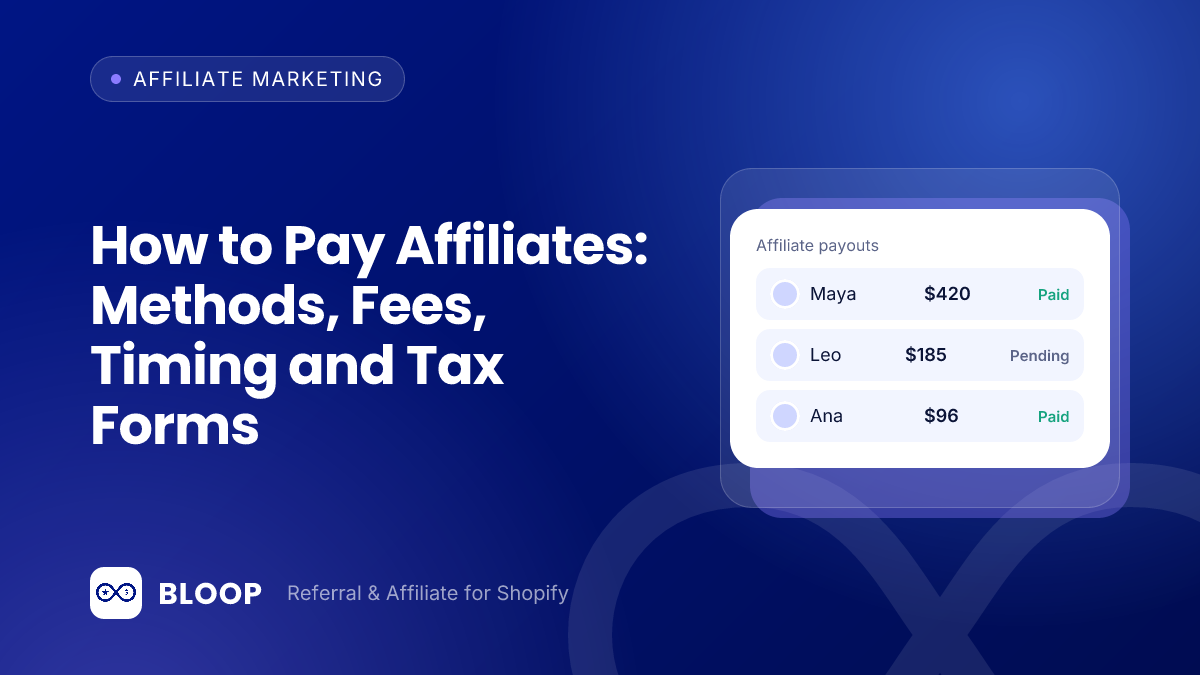
To pay affiliates, approve each commission after your return window closes, collect a tax form, send the money by PayPal, bank transfer, store credit or gift card, and then record the payment against the orders it covers. A monthly run, scheduled after the return window ends, works well for most stores, and you should keep one ledger that ties every payment to specific orders.
Pay too early and you hand out commission on revenue you later refund. Pay late or without records and your best affiliates leave. This guide covers the methods, PayPal’s published fees, hold periods, the US tax forms you will meet, and a reconciliation table you can copy. For commission rates, see our guides on referral commission and affiliate commission rates on Shopify. This guide starts after the sale and ends when the money lands.
Key takeaways
- Pay only commission that has cleared your return window, and add a short buffer (7 days in our examples) before you approve it.
- PayPal Payouts is capped at $1.00 per US payment and $20.00 per international payment on PayPal’s fee page, or $0.25 per payment through the Payouts API, so fees stay small unless you pay many tiny balances.
- Set a minimum payout (for example $25) and a fixed payout date so you send fewer, larger payments.
- Collect a W-9 (US affiliates) or W-8BEN (foreign individuals) before the first payout, because the IRS 1099-NEC instructions we read apply at $2,000 paid in a year.
- BLOOP records payouts but never moves money: you send the transfer, then mark it paid in BLOOP.
What paying an affiliate actually involves
Every payout, whatever the method, is the same five steps. The method only changes step 4.
- Approve. Confirm that the orders behind the commission are paid, not refunded and past your return window.
- Collect tax details. Get a W-9 or W-8BEN and the affiliate’s payout address (PayPal email, bank details or store account email).
- Check the balance. Make sure it meets your minimum payout and that nothing is under review for fraud.
- Send the money. Pay by the agreed method, then wait for it to clear.
- Record and reconcile. Mark the payout as paid, keep the transaction ID, and match the totals at month end.
How BLOOP handles affiliate payouts
BLOOP is built around that order. According to the BLOOP payouts documentation, you pay affiliates directly outside BLOOP using your own banking tools, and then record the payout in BLOOP. The docs state that “Bloop never moves money itself”, and they tell you to send the transfer first, confirm it went through, then record the payout.
Balances sit in two views. Pending holds approved sales you still owe; Paid holds completed payout records. The flow is: select an affiliate and their approved sales in Pending, click “Process to pay”, send the money by bank transfer or PayPal outside BLOOP, confirm it cleared, and mark it paid. If you made a mistake, “Revert payment” deletes the record from Paid and returns the included sales to approved. It changes the record only, not any money you already sent.
The same docs say sales must clear the return window before approval and payment, and recommend scheduling payouts just after your sales review period so balances have already cleared returns. The affiliate program overview adds a warning worth remembering: a commission already paid or included in a payout is never revoked or recalculated, so approving before returns settle means paying on revenue you gave back.
For the referral side of BLOOP, the rewards documentation lists referrer rewards as a discount coupon, store credit, a free product, cash or a custom reward. Of those, cash rewards are tracked in BLOOP and paid by you, and Shopify never issues them. If you want the program basics first, read referral program vs affiliate program. On the affiliate side, the default attribution window is 30 days, and commission is calculated on what the customer paid (product prices after discounts, plus shipping, taxes and tips) unless you exclude parts of it, as described in the commission rules.
Payout methods compared
There are four practical ways to pay a Shopify affiliate. The table summarizes what each costs and where it fits. Fees quoted later come from the provider’s own page. For bank transfers the cost depends entirely on your bank, so check its current fee schedule.
| Method | Cost to you | Speed | Best for | Watch out for |
|---|---|---|---|---|
| PayPal | 2% per payment with a cap, or a flat $0.25 through the Payouts API (details below) | Quick once sent | Affiliates in many countries, small and mid-size balances | The affiliate needs a PayPal account |
| Bank transfer (ACH, wire, local transfer) | Set by your bank | Depends on the rail and country | Large balances, a few high-volume partners | Collecting and protecting bank details; manual matching |
| Store credit | No transfer fee; costs you product margin when redeemed | Immediate | Customer-affiliates who already shop with you | Only useful to people who want your products; expiry settings |
| Gift card | No transfer fee; costs you product margin when redeemed | Immediate | Creators who like a “thank you” in kind | Rules on gift card expiry |
Our guide on store credit vs discount referral rewards covers the credit choice for customer referrals, and the gift card referral program guide covers gift cards in more depth.
Paying affiliates by PayPal
PayPal is the most common option for small affiliate programs because affiliates in many countries can receive it. On PayPal’s merchant fees page (marked “Last Updated: October 1, 2026” when we opened it), PayPal Payouts is charged to the sender: “We charge you a fee for each payment you send using PayPal Payouts.” The US rate is “2% of total transaction amount (not to exceed the maximum fee cap below)”, and the international rate is also 2% with a higher cap. For US dollars, the page lists a $1.00 maximum fee cap for US payments, a $0.25 fee when using the Payouts API, and a $20.00 maximum fee cap for international payments.
Here is what that looks like at different payout sizes. The columns use only the numbers above: 2% of the amount, then the cap that applies.
| Payout amount | 2% of amount | US fee (2%, cap $1.00) | US fee via Payouts API (flat) | International fee (2%, cap $20.00) |
|---|---|---|---|---|
| $10.00 | $0.20 | $0.20 | $0.25 | $0.20 |
| $25.00 | $0.50 | $0.50 | $0.25 | $0.50 |
| $50.00 | $1.00 | $1.00 | $0.25 | $1.00 |
| $100.00 | $2.00 | $1.00 | $0.25 | $2.00 |
| $500.00 | $10.00 | $1.00 | $0.25 | $10.00 |
| $1,000.00 | $20.00 | $1.00 | $0.25 | $20.00 |
| $1,500.00 | $30.00 | $1.00 | $0.25 | $20.00 |
Two things stand out. First, the 2% rate only matters below $50 for US payments, because above that the $1.00 cap takes over ($1.00 / 0.02 = $50.00). Second, the API flat fee beats the standard rate once a payment exceeds $12.50 ($0.25 / 0.02 = $12.50). If your store sends payouts through the API, a $186.00 payout costs $0.25, which is 0.13% ($0.25 / $186.00 = 0.00134). A standard payout of the same size costs $1.00, or 0.54% ($1.00 / $186.00 = 0.00538).
Paying affiliates by bank transfer
Bank transfers suit the few affiliates who earn real money. They avoid PayPal account requirements and, for large amounts, they usually cost less as a share of the payout. The downsides are practical: you have to collect and store account details safely, you have to match each deposit to a payout record yourself, and international wires can take longer and carry fees on both ends. We do not quote bank fees because they vary by bank and country, so ask your bank for its outgoing transfer schedule.
Paying affiliates in store credit
Store credit costs no transfer fee and keeps money inside your store. Shopify lets you issue store credit from the admin, and its store credit help page says “Store credit expiration is set per issuance. You choose an expiry date or no expiry date each time you issue store credit.” That means you decide, for each payout, whether the credit expires, and you should state this in your terms before the affiliate accepts credit.
Store credit is not free, but it is cheaper than cash. If an affiliate earns $78.00 and you pay it as store credit, your real cost when they redeem it is the product cost, not $78.00. Suppose your gross margin is 60% (an assumption for illustration). Product cost is then 40% of price, so $78.00 of credit costs you $31.20 in goods ($78.00 x 0.40 = $31.20). Cash would cost the full $78.00. The catch is that credit only suits affiliates who want your products.
Paying affiliates with gift cards
Gift cards work like store credit with a “thank you” feel. They can be useful for micro-influencers and for seasonal bonuses. The main risk is expiry rules. The CFPB states that “Federal law, as set forth in the Electronic Fund Transfer Act (EFTA) and the CFPB’s Regulation E, generally prohibits the sale of a gift card that expires sooner than five years after the card is issued, or five years after the date when funds were last loaded onto the card” (CFPB newsroom). Whether that rule applies to cards you give away as rewards is a legal question, so ask your accountant or attorney before you set a short expiry on reward cards.
Payout schedules and hold periods
Two dates control when an affiliate gets paid: when the commission becomes payable, and when you run payouts. The first protects you from returns; the second protects the affiliate from waiting without an end date.
Tie the hold period to your return window
Take the length of your return window, add a short buffer for late returns and slow carrier scans, and approve commission only after that date. We use a 7-day buffer in this guide, which is our own choice, not a rule. The table shows when a sale on October 10 becomes payable.
| Return window | Window ends | Buffer | Approve commission on | Notes |
|---|---|---|---|---|
| 14 days | Oct 24 (Oct 10 + 14 days) | 7 days | Oct 31 | Short window, fastest payout |
| 30 days | Nov 9 (Oct 10 + 30 days) | 7 days | Nov 16 | Mid-length window |
| 60 days | Dec 9 (Oct 10 + 60 days) | 7 days | Dec 16 | Long window, slowest payout |
Why this matters can be shown with arithmetic. Say your affiliates drove $10,000 of sales in a month, your commission is 15%, and 10% of that revenue comes back as returns (an illustrative return rate). If you pay straight away, you pay $1,500.00 ($10,000 x 0.15). If you wait and pay only on kept sales, you pay $1,350.00 ($9,000 x 0.15). The difference is $150.00, which is 15% of the $1,000.00 returned. Over twelve monthly runs that is $1,800.00 ($150.00 x 12).
Real examples from public programs
Two well-known public programs show how payout rules are usually written. The details below come from the programs’ own pages, as of October 2026, and we cite them as examples of structure, not as rates to copy.
| Program | What the page says (as of October 2026) | Source |
|---|---|---|
| Shopify Affiliate Program | “Shopify issues commissions to your balance only once a month on the 22nd of each month, for the prior month’s referrals.” Minimum balance of $10 USD before withdrawals. Payment by direct deposit to a bank account or PayPal in most countries. Referrals are tracked for 30 days from the click. | shopify.com/affiliates |
| Shopify Affiliate Program (commission timeline) | A “21-day locking period” during which Impact reviews referral eligibility, and “Payments are processed one day after the locking period concludes.” | Shopify Growth Center |
| Amazon Associates | “Payments are made monthly if your balance meets the minimum threshold”, and commissions are paid “approximately 60 days after the end of the month for which they are being paid.” | Associates Central |
Notice the pattern: a locking or review period, one fixed payout date per month, a minimum balance, and a short list of payment methods. Shopify pays on the 22nd for the prior month, so an affiliate can predict the date without asking. Amazon pays about 60 days after the end of the month, a much longer gap than most small stores need, but the structure is the same: a fixed monthly cycle that affiliates can plan around. The structure is worth copying.
Pick a minimum payout and a cadence
A minimum payout stops you from sending $4.10 transfers that cost more to process than they are worth. With the PayPal Payouts API fee of $0.25, a $10.00 payout loses 2.5% to fees ($0.25 / $10.00 = 0.025), a $25.00 payout loses 1.0% ($0.25 / $25.00 = 0.01), and a $50.00 payout loses 0.5% ($0.25 / $50.00 = 0.005). This is why we use $25 in our sample policy below. The Shopify program above uses $10.
Tax forms for paying affiliates (US)
The following is general information, not tax advice. Rules differ by country, state and situation, so confirm with your accountant. Each form below is linked to the IRS page we read.
| Form | Who gives it | What the IRS page says | When to collect |
|---|---|---|---|
| W-9 | US affiliate (individual or business) | “Use Form W-9 to provide your correct Taxpayer Identification Number (TIN) to the person who is required to file an information return with the IRS to report, for example:” | Before the first payout |
| W-8BEN | Foreign individual affiliate | “Give Form W-8 BEN to the withholding agent or payer if you are a foreign person and you are the beneficial owner of an amount subject to withholding.” | Before the first payout to a non-US individual |
| 1099-NEC | You (the payer) file it | “Use Form 1099-NEC to report nonemployee compensation.” | After year end if the threshold is met |
The threshold is in the IRS instructions for Forms 1099-MISC and 1099-NEC: “File Form 1099-NEC, Nonemployee Compensation, for each person in the course of your business during the year to whom you have paid at least $2,000 in” services performed by someone who is not your employee. The same instructions say that “Section 6071(c) requires you to file Form 1099-NEC on or before January 31”. Thresholds change over time, so read the current year’s IRS instructions before you file rather than relying on an older article.
Apply that to three hypothetical affiliates, using total paid in the calendar year (cash plus any gift card or store credit value you gave them):
| Affiliate | Total paid in the year | At least $2,000? | Action |
|---|---|---|---|
| Affiliate 1 | $1,850.00 | No ($1,850.00 is $150.00 below $2,000) | Keep the W-9 on file; ask your accountant whether a form is still needed |
| Affiliate 2 | $2,000.00 | Yes (exactly at the threshold) | File 1099-NEC by January 31 |
| Affiliate 3 | $4,325.60 | Yes ($4,325.60 is $2,325.60 above $2,000) | File 1099-NEC by January 31 |
This is why we say to collect the W-9 before the first payment, not after the threshold is crossed. Chasing a form in January from an affiliate who stopped replying in July is the usual pain point. There is also a financial reason. The IRS says “the payer must withhold at a flat 24% rate” in backup withholding situations, including when “you don’t give the payer your TIN in the required manner” (IRS Topic 307). On a $500.00 commission, that would be $120.00 withheld ($500.00 x 0.24), leaving $380.00 to pay the affiliate ($500.00 – $120.00). Whether it applies to your payments is a question for your accountant, but a missing form is a risk you can remove with one form.
For affiliates outside the US, a W-8BEN is the form the IRS describes for foreign persons who are beneficial owners of an amount subject to withholding. What withholding, if any, applies depends on the type of income and the affiliate’s country, so ask a tax professional before paying a large foreign balance.
One more compliance point sits next to payouts. The FTC describes a material connection as “a personal, family, or employment relationship or a financial relationship”, for example “if a brand pays you or gives you free or discounted products” (FTC Disclosures 101). A commission is a financial relationship, so your payout terms should require affiliates to disclose it whenever they post a link.
Reconcile payouts every month
Reconciliation means checking that what BLOOP says you owe, what you sent, and what left your accounts all match. Do it on a fixed day, once a month, for ten minutes. Here is a full worked example for an October payout run, using an example 15% commission rate and approved sales after the return window.
| Affiliate | Approved sales | Commission (15%) | Method | Fee | Total you spend | Status |
|---|---|---|---|---|---|---|
| A | $1,240.00 | $186.00 ($1,240.00 x 0.15) | PayPal, Payouts API | $0.25 | $186.25 | Paid |
| B | $380.00 | $57.00 ($380.00 x 0.15) | PayPal, standard Payouts | $1.00 (2% = $1.14, capped at $1.00) | $58.00 | Paid |
| C | $95.00 | $14.25 ($95.00 x 0.15) | None: below $25 minimum | $0.00 | $0.00 | Carried to November |
| D | $9,200.00 | $1,380.00 ($9,200.00 x 0.15) | PayPal, international | $20.00 (2% = $27.60, capped at $20.00) | $1,400.00 | Paid |
| E | $520.00 | $78.00 ($520.00 x 0.15) | Store credit | $0.00 | $78.00 credit | Paid |
Now the totals. Commission earned is $1,715.25 ($186.00 + $57.00 + $14.25 + $1,380.00 + $78.00). Commission paid is $1,701.00, which is the same total minus Affiliate C’s $14.25 carried balance. Fees are $21.25 ($0.25 + $1.00 + $20.00). Cash that left PayPal is $1,644.25 ($186.25 + $58.00 + $1,400.00), made of $1,623.00 in commissions ($186.00 + $57.00 + $1,380.00) plus the $21.25 in fees. The effective fee rate is 1.31% ($21.25 / $1,623.00 = 0.01309). Affiliate D’s fee alone is 1.45% of their payout ($20.00 / $1,380.00 = 0.01449), which shows how the international cap keeps big payments cheap.
The check is simple. The Paid records in BLOOP for October should total $1,701.00. Your PayPal activity less fees should show $1,623.00. Add the $78.00 of store credit from your Shopify admin and you get $1,701.00 again ($1,623.00 + $78.00). If the numbers do not match, look for these causes first:
- A payout marked paid in BLOOP before the transfer actually cleared.
- A transfer sent but never recorded in BLOOP.
- A fee counted twice, or counted in the commission by mistake.
- Currency conversion, where the affiliate received less than you sent.
- A store credit issued in Shopify but not marked in the payout record.
What to do when a refund comes after payout
Even with a hold period, a late refund can land after you paid. In BLOOP, a paid commission is never recalculated, and “Revert payment” only changes the record, not the money you already sent. So write the rule into your terms before it happens: either late refunds are absorbed by you, or the amount is netted from the affiliate’s next payout.
Here is a worked netting example. Affiliate B was paid $57.00 on $380.00 of sales. In November a customer returns a $120.00 item after the hold period. The commission on it was $18.00 ($120.00 x 0.15). Affiliate B earns $40.00 in November. Under a netting clause you send $22.00 ($40.00 – $18.00) and note the adjustment in your ledger. Under an absorb-it clause you send $40.00 and accept the $18.00 loss. Choose one and apply it to everyone the same way, because uneven treatment causes arguments. For abuse patterns that show up around refunds and self-purchases, read our guide on referral fraud and review suspicious balances before you approve them.
A simple payout policy you can copy
Write your payout rules in plain words and put them on your affiliate signup page (our affiliate program terms and conditions guide goes deeper). A short version looks like this:
- Commission is approved after our return window plus 7 days.
- We pay once a month, on the 15th, for commission approved by the 8th.
- The minimum payout is $25. Smaller balances carry over.
- We pay by PayPal or bank transfer. Store credit is available on request.
- We need a completed W-9 (US) or W-8BEN (non-US individuals) before the first payout.
- Late refunds are netted from future payouts.
- Affiliates must disclose their relationship when they share links.
You can run the same structure from the BLOOP affiliate program tools, where the Pending and Paid views give you the ledger. The Free plan includes 10 affiliate orders, so you can test your payout routine before it matters. See the pricing page for current plan details.
Next step
Pick one payout date this month, write down your minimum payout and hold period, and run a test payout for a small balance end to end. If you are starting from scratch, BLOOP’s Free plan costs $0 and covers 10 referee orders and 10 affiliate orders, and Premium is $59.90 per month for unlimited orders, with a 7-day free trial. More than 2,000 Shopify merchants use BLOOP, and it has 190+ ratings on the Shopify App Store.
Frequently Asked Questions
How often should I pay affiliates?
Monthly is the best default for most Shopify stores. It gives you time to clear returns, keeps the number of transfers low, and gives affiliates a predictable date. Quarterly can work for low-earning affiliates, while very large partners may want twice a month, which costs you extra reconciliation work.
What is the cheapest way to pay affiliates?
For small and mid-size payouts, PayPal Payouts through the API is cheap at a flat $0.25 per payment on PayPal’s fee page. For large payouts a bank transfer may cost less as a percentage, but the fee depends on your bank. Store credit has no transfer fee, but it costs you product margin when redeemed.
Do I need a W-9 from every affiliate?
Collecting a W-9 from every US-based affiliate before the first payout is a safe habit, because the IRS 1099-NEC instructions we read apply at $2,000 paid in a year, and chasing forms later is hard. Foreign individuals usually give a W-8BEN instead. Confirm the details with your accountant.
Can I pay affiliates in store credit instead of cash?
Yes, if the affiliate agrees. Shopify lets you set an expiry date or no expiry each time you issue store credit, so state your expiry rule in your terms. Credit costs you product cost rather than the full commission value, but it only suits affiliates who want to buy from you.
What happens if a customer returns an order after I paid the commission?
BLOOP does not recalculate a commission that has been paid, so the fix is a rule in your terms. Most stores either net the amount from the affiliate’s next payout or absorb it as a cost of the program. Holding commission until after your return window avoids most of these cases.
Does BLOOP pay my affiliates for me?
No. BLOOP records payouts and shows Pending and Paid balances, but you send the money yourself through PayPal, your bank or another method, then mark the payout as paid. Cash rewards for referrers work the same way: they are tracked in BLOOP and paid by you.