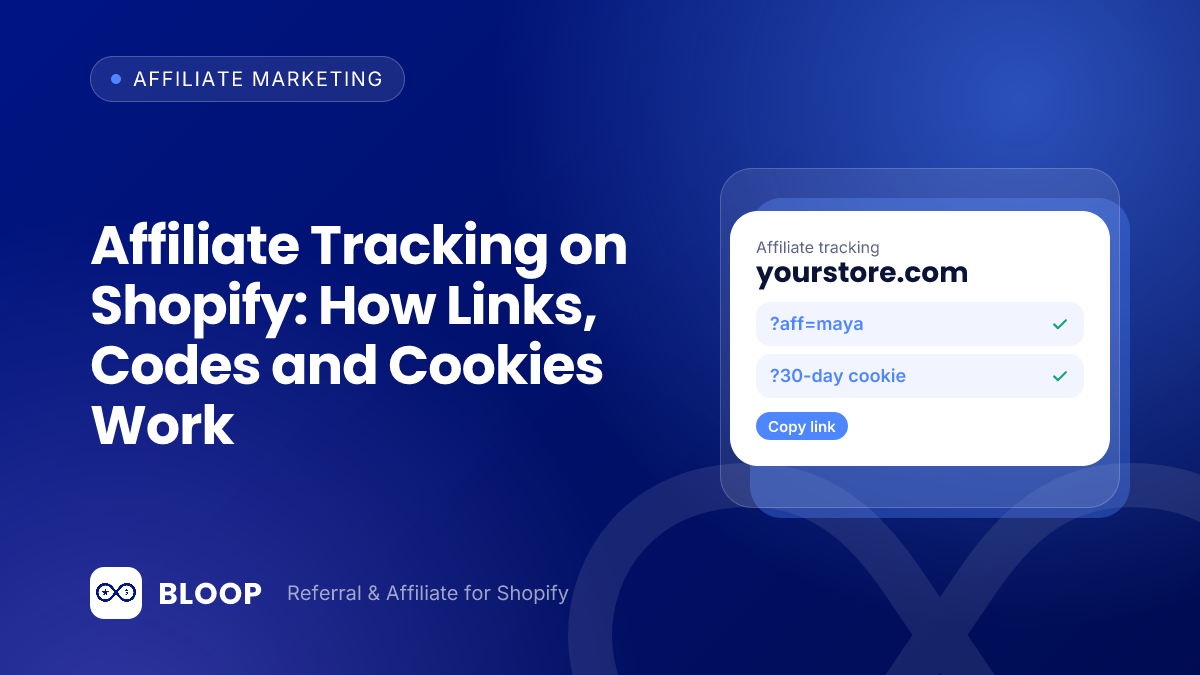
Affiliate tracking on Shopify works by saving a signal when a shopper arrives through an affiliate (a link click stored in a cookie, a discount code, or both) and matching that signal to the order when it is placed. Links and cookies record the visit, codes record the checkout, and your attribution rule (first click, last click or a time window) decides who gets paid when the signals disagree.
This guide covers each method, where it leaks, the browser limits on how long a link is remembered, and how to check your numbers against Shopify’s reports. Worked examples use hypothetical figures, and every outside fact links to the page where we read it. For the program setup itself, see how to start an affiliate program on Shopify, and for choosing rates see affiliate commission rates on Shopify.
Key takeaways
- Use two signals, not one. A tracked link records who sent the visit, a code records who got the discount, and the two together let you spot orders that only one of them explains.
- A cookie window is a promise, not a guarantee. Safari can delete script-created cookies after 7 days without interaction, and Chrome caps any cookie expiry at 400 days.
- Write down the attribution rule. With the same journey, first click, last click and linear credit can send the commission to three different places.
- Longer windows pay more. In the hypothetical example below, moving from 30 to 90 days raises commission by $168.75 on 100 click-through buyers.
- Your tracking tool and Shopify’s reports will not match. Reconcile them in steps, because Shopify’s reports include canceled, pending and unpaid orders.
- Test before you launch. One real test order per method catches most attribution failures before an affiliate does.
The four ways an affiliate order gets recorded
Every affiliate setup is some mix of the four methods below. The useful question is not which one is best but what happens to an order when one of them fails. Our post on referral links covers the customer-referral side; here the focus is affiliates, who are paid on the orders they drive.
| Method | What identifies the affiliate | Strength | Where it leaks |
|---|---|---|---|
| Tracked link and cookie | An ID in the URL, saved in the shopper’s browser for the length of your window | Credits the affiliate even if the shopper buys days later | Cookie expires, is blocked or cleared; a shopper who switches device is lost |
| Discount code | A code typed at checkout | Works on podcasts, video, print and across devices | Codes get shared and posted on coupon sites, so orders the affiliate never influenced can carry their code |
| Order-level matching | The order record, compared with the saved link, code or customer data | The decision is made from the order, not from a script in the browser | Only as good as the data saved earlier; needs something to match |
| Manual entry | The merchant credits an order by hand | Fixes off-platform or phone sales | Slow, and easy to get wrong without a written rule |
BLOOP supports the first two. Its docs describe an affiliate as getting “a unique link (and optionally a discount coupon)” and being paid a commission “only on the orders they drive” (how BLOOP works), and the troubleshooting page offers an Add order action for crediting a referrer by hand (referral troubleshooting).
How link and cookie tracking works, step by step
- The affiliate gets a unique link. It carries an ID, for example a store URL ending in
?ref=maya(an illustrative format, not BLOOP’s actual one). - The shopper clicks. Your store reads the ID and saves it in the browser as a cookie that lasts for the length of your window.
- The shopper leaves and comes back. Most purchases are not made on the first visit, which is why the cookie exists at all.
- The shopper checks out. If the cookie is still there, the affiliate ID is attached to the order.
- The tool records a sale. BLOOP’s docs say it “records a sale and calculates the commission”, after which you review and approve the sale and then pay out (how BLOOP works).
In BLOOP the window is the campaign’s cookie value. The docs define it as “the number of days a click stays attributed to an affiliate”, with a default of 30 days, and say that if a customer clicks an affiliate link and buys within that window, the sale counts for that affiliate (commission rules). They suggest a longer window of 60 to 90 days for considered purchases and 7 to 14 days for impulse buys.
Shopify keeps its own referrer record, with different lifetimes
Separately from any affiliate tool, Shopify stores its own visit data. Shopify’s cookie list gives _landing_page and _orig_referrer a duration of 2w, _shopify_s 30min with a rolling expiry, and _shopify_y 1y. That is why a Shopify channel report and an affiliate dashboard can disagree about the same order, a point we return to in the reconciliation section.
Cookie limits: what Safari and Chrome do to a tracking window
Your 30-day window only works if the browser keeps the cookie that long. The browser rules below come from the vendors themselves.
Safari (Intelligent Tracking Prevention)
WebKit’s Tracking Prevention page says: “ITP deletes all cookies created in JavaScript and all other script-writeable storage after 7 days of no user interaction with the website.” It also says ITP “detects such link decoration and caps the expiry of cookies created in JavaScript on the landing webpage to 24 hours”, where link decoration means information added to a link to follow a shopper between sites. For third-party CNAME cloaking, ITP “caps the expiry of any cookies set in the HTTP response to 7 days”. And in its March 24, 2020 post, WebKit wrote: “Cookies for cross-site resources are now blocked by default across the board.”
Chrome
Chrome’s rule is simpler. Its developer blog says: “As of Chrome release M104 (August 2022) cookies can no longer set an expiration date more than 400 days in the future” (Chrome developers). Chrome has also dropped the idea of a new warning for everyone: Google’s Privacy Sandbox post says Chrome “will not be rolling out a new standalone prompt for third-party cookies” and will keep “our current approach to offering users third-party cookie choice in Chrome” (Privacy Sandbox).
| Browser rule | Limit | What it means for an affiliate window |
|---|---|---|
| Safari: script-created cookies and storage | Deleted after 7 days of no user interaction with the website | A 30-day window can shrink to 7 days if a script set the cookie and the shopper did not return |
| Safari: link decoration | JavaScript cookie expiry on the landing page capped at 24 hours | Applies where ITP detects link decoration; check any tool that relies on script cookies |
| Safari: third-party cookies | Blocked by default (WebKit post of March 24, 2020) | Third-party tracking domains cannot rely on cookies in Safari |
| Chrome: cookie lifetime | Expiry capped at 400 days since M104 (August 2022) | Not a constraint for windows of 90 days or less |
These are rules, not your loss rate, so measure your own. In practice: keep windows believable, back the link up with a code, and ask any tracking tool whether its cookie is set by a script or by the server response.
What a shorter effective window costs: a worked example
Suppose 100 shoppers click one affiliate’s link and later buy. The delay between click and purchase is hypothetical. The average order is $75 and the commission is 15%, so each credited order pays 15% × $75 = $11.25.
| Click-to-purchase delay | Buyers | Cumulative buyers | Window that captures them |
|---|---|---|---|
| Within 1 day | 40 | 40 | 7 days or longer |
| 2 to 7 days | 25 | 65 | 7 days or longer |
| 8 to 14 days | 12 | 77 | 14 days or longer |
| 15 to 30 days | 8 | 85 | 30 days or longer |
| 31 to 60 days | 10 | 95 | 60 days or longer |
| 61 to 90 days | 5 | 100 | 90 days |
| Window | Credited orders | Calculation | Commission paid |
|---|---|---|---|
| 7 days | 65 | 65 × $11.25 | $731.25 |
| 14 days | 77 | 77 × $11.25 | $866.25 |
| 30 days | 85 | 85 × $11.25 | $956.25 |
| 60 days | 95 | 95 × $11.25 | $1,068.75 |
| 90 days | 100 | 100 × $11.25 | $1,125.00 |
- Going from 30 to 90 days adds 15 credited orders and $168.75 of commission ($1,125.00 – $956.25).
- In a worst case where script-created cookies are deleted after 7 days, 20 of the 85 orders in a 30-day window go unattributed (85 – 65). That is 20 × $11.25 = $225.00 of commission unpaid, and $1,500 of revenue (20 × $75) with no credit, which an affiliate may notice.
- The extra 15 orders from a 90-day window are real revenue only if the affiliate caused them. Longer windows also pay for purchases that would have happened anyway, so set the window in your affiliate program terms.
Discount code tracking: simple, portable and easy to abuse
A code is the most robust signal when a shopper cannot click a link, such as a podcast listener or a viewer who finds a creator on one device and buys on another. Shopify’s sales report help page describes a Sales by discount codes report that displays sales grouped by the name of the discount, such as the automatic discount name or discount code, so you can see revenue per code without any extra tool.
The weakness is leakage. Once a code is public, anyone can use it, and a code posted on a coupon site gives the affiliate credit for an order they did not influence.
Worked example: how many code orders have no link behind them
Maya is an affiliate on a 15% commission. In one month, 100 orders used her code, for an average order of $70. Your affiliate tool shows that 62 of those orders also came from a click on her link within the window. The other 38 used her code with no matching click.
| Group | Orders | Revenue | Commission at 15% |
|---|---|---|---|
| All orders with Maya’s code | 100 | 100 × $70 = $7,000 | $7,000 × 0.15 = $1,050.00 |
| Code and link click | 62 | 62 × $70 = $4,340 | $4,340 × 0.15 = $651.00 |
| Code only, no link click | 38 | 38 × $70 = $2,660 | $2,660 × 0.15 = $399.00 |
Check: 62 + 38 = 100 orders, $4,340 + $2,660 = $7,000, and $651.00 + $399.00 = $1,050.00. So 38% of her code orders (38 ÷ 100) have no link evidence. That is not proof of misuse, since a listener may never click, but it tells you where to look closer. If the share is high and the code appears on coupon sites, read our guides to affiliate fraud and self-referral before you approve the payout.
Three options exist for the 38 orders: pay all 100 (the code is the contract), pay only the 62 (the link is the contract), or pay the 62 at the full rate and the 38 at a lower code-only rate. Put your choice in writing before the affiliate starts.
First click vs last click: who gets the commission
When two affiliates, or an affiliate and a direct visit, touch the same shopper, you need a rule. Shopify’s marketing reports help page lists five attribution models. Last non-direct click “gives 100% of attribution credit to the last channel that the customer interacts with before making a purchase, excluding direct visits.” Last click gives the same credit to the last channel including direct visits. First click credits the first channel including direct visits, any click credits every channel clicked, and linear gives equal credit to each click in the journey.
Worked example: one shopper, three touches
A shopper clicks Affiliate A’s link on day 0, clicks Affiliate B’s link on day 9, then types your store’s address directly on day 12 and buys an $80 order. The commission rate is 15%, so the full commission pot is 15% × $80 = $12.00. Here is how each model would treat it for the sales credited to each touch.
| Model | Who is credited | Credited sales | Commission at 15% |
|---|---|---|---|
| First click | Affiliate A | $80.00 | $12.00 to A |
| Last click (including direct) | Direct visit | $80.00 | $0 to either affiliate |
| Last non-direct click | Affiliate B | $80.00 | $12.00 to B |
| Linear (3 touches) | A, B and Direct equally | $80 ÷ 3 = $26.67 each | $12.00 ÷ 3 = $4.00 each to A and B, $4.00 not paid |
| Any click | A and B, each in full | $80.00 to each | Counts the order twice in reports; you would still pay once |
The same order pays Affiliate A, Affiliate B or nobody depending on one setting, so your terms should say which. Shopify also notes that “if a visitor doesn’t buy anything within 30 days of a session, then the first interaction referrer is reset”, which means its own first-click data has a 30-day horizon.
In the pages of the BLOOP docs we reviewed, the commission rules define the cookie window but do not describe a first-click or last-click switch, and the referral troubleshooting page says a customer “belongs to one referrer”. So before launch, run a test: click two different affiliates’ links in sequence, place an order, and see which affiliate gets the sale.
Server-side attribution: deciding from the order, not the browser
Server-side attribution means the credit decision is made from the order record after checkout, not by a script running in the shopper’s browser. The browser still supplies the first clue (a link ID or a code), but matching, commission math and fraud checks happen where cookie rules cannot interfere.
Shopify’s Web Pixels API shows why that matters. It offers “a set of controlled APIs for accessing browser APIs and subscribing to customer events, within one of our Lax or Strict sandboxes”, so tracking code that runs at checkout is deliberately restricted. An order-level approach does not depend on running a script there.
BLOOP’s description is that it “attributes each order to the right referrer or affiliate, calculates rewards and commissions from your rules, holds anything suspicious for review” (how BLOOP works). Its troubleshooting page adds the details that matter in practice: a purchaser already tied to another referrer is blocked on purpose, a suspicious referral reward goes on a 14-day hold, and a reward is revoked when the order behind it is cancelled or refunded (depending on your revoke setting), with a refund of 90% or more counting as a full refund (referral troubleshooting). Those statements are about referral rewards; for affiliate commissions, see the next section.
How real programs set their tracking windows
Public programs show how much windows vary. The terms below are what each page said when we opened it, as of October 2026, and can change.
| Program | What its public page says (as of October 2026) | Page |
|---|---|---|
| Shopify affiliate program | Up to $150 USD per qualified referral. “We track all referrals for 30 days from the moment someone clicks your link”, and a free-trial referral is tracked for up to 400 days until it becomes a Paid Trial and Full Price store | shopify.com/affiliates |
| Beardbrand | A 15% commission on every qualified buyer, a 30-day cookie duration, and tracking through AvantLink | beardbrand.com/pages/affiliates |
| Amazon Associates | A session ends 24 hours after the click; a product added to the cart counts if the order is completed no later than 89 days after the initial click-through; the product must ship and be paid for within 180 days of the purchase | Associates policies |
| BLOOP affiliate default | A 30-day cookie, set per campaign | docs.bloop.plus |
Two lessons stand out. Three of the four programs in the table use 30 days, so it is a safe default. And Amazon pairs a very short click window with a longer rule for items already in the cart, a way to reward high-intent traffic without a long cookie on every click.
UTM tags and Shopify reports: your independent check
Tag every link an affiliate posts, even if your tool already tracks it. UTM parameters give Shopify and any analytics tool a second record that does not depend on the affiliate cookie. Google’s Analytics help page says: “When you add parameters to a URL, you should always use utm_source, utm_medium, and utm_campaign” and that parameter values are case sensitive, so utm_source=google differs from utm_source=Google. Pick lowercase and stick to it.
Use one lowercase pattern, such as the affiliate’s handle as the source, “affiliate” as the medium and the season as the campaign. Shopify’s marketing reports include “Sales attributed to marketing”, which picks up UTM-tagged traffic. Treat them as a cross-check, not the payout record, and note one trap: “Canceled, pending, and unpaid orders are included in the reports.”
Worked example: reconciling Shopify with your affiliate tool
Shopify’s marketing report shows 120 orders attributed to your affiliate UTM medium for the month. Your affiliate tool shows 85 approved sales. Walk the gap in steps instead of trusting either number.
| Step | Adjustment | Orders left |
|---|---|---|
| Start: Shopify report | Orders with affiliate UTM tags | 120 |
| Remove canceled, pending or unpaid orders | – 7 | 113 |
| Remove orders with a tagged link but no recorded affiliate click or code | – 18 | 95 |
| Remove orders credited to a different affiliate or code under your rule | – 10 | 85 |
| End: affiliate tool | Approved sales | 85 |
The 120 – 7 – 18 – 10 = 85 check works, and each step has an action. Look first at the 18 untracked orders: links were probably copied without the affiliate ID. Set a tolerance that suits your volume, and investigate when the gap suddenly widens.
Commission, refunds and approval timing
Refunds decide whether an affiliate keeps a commission. Take three tracked orders for one affiliate at 15%: $60, $85 and $120. The total sales are $60 + $85 + $120 = $265, and the total commission is $9.00 + $12.75 + $18.00 = $39.75 (check: $265 × 0.15 = $39.75). If the $85 order is canceled, the commission falls by $12.75 to $27.00 (check: $180 × 0.15 = $27.00).
BLOOP’s affiliate docs say to “align your approval rhythm with your refund window”, because a commission already paid or included in a payout is never revoked or recalculated (affiliate overview). If your return window is 30 days, approving sales on day 31 avoids chasing money back.
Troubleshooting table: when an affiliate order is not tracked
| Symptom | Likely cause | How to check | Fix |
|---|---|---|---|
| Order has the code but no affiliate click | Shopper typed a shared or coupon-site code | Compare code orders with link clicks as in the Maya example | Apply your written code-only rule; consider a lower rate |
| Affiliate says the sale is missing, no order appears | Link without the affiliate ID, or cookie expired | Ask for the exact link; check the click date against your window | Re-issue the link; credit manually if the evidence is clear |
| Click was 10 days ago, no credit on Safari | Script-created cookie deleted after 7 days of no interaction | Repeat the test in Safari and compare with Chrome | Shorten promises; add a code as a backup |
| Two affiliates both claim one order | Different touches before one purchase | Run the two-link test and read the result | Apply your first, last or last non-direct rule and publish it |
| Customer already linked to another referrer | One customer belongs to one referrer in BLOOP | Look at the customer’s earlier orders | Nothing to fix: Add order refuses the order on purpose, so two referrers never compete for one customer |
| Shopify report shows more sales than the tool | Report includes canceled, pending and unpaid orders; UTM links lack an affiliate ID | Run the reconciliation steps above | Fix the link template and tag every link the same way |
A setup checklist you can finish in an afternoon
- Choose the window per campaign: 30 days to start, shorter for impulse products, longer for expensive ones.
- Decide the signals: link only, or link plus a coupon, and how you pay code-only orders.
- Write the attribution rule into your terms: first click, last non-direct click or a cookie that is not overwritten, plus refund and cancel treatment.
- Place four test orders: link then buy at once, link then buy 10 days later in Safari, code only, and two affiliates in sequence. Note which one is credited.
- Approve sales after the refund window, then pay out.
- Reconcile monthly with the steps above, and watch the share of code-only orders per affiliate.
Doing this without building it yourself
BLOOP’s affiliate program gives each affiliate a unique link and an optional coupon, sets the cookie window per campaign (30 days by default), calculates commissions and lets you approve sales before you pay. The Free plan at $0 covers 10 referee orders and 10 affiliate orders, and Premium is $59.90 per month with unlimited orders, with a 7-day free trial. See the pricing page for details.
Frequently Asked Questions
What is the best way to track affiliates on Shopify?
Use a unique tracked link as the primary signal and an optional discount code as the backup. The link shows who sent the visit; the code covers shoppers who switch devices or cannot click.
How long should an affiliate cookie last?
30 days is the common default, and Shopify’s own affiliate program and Beardbrand both state 30 days on their pages. Go shorter for impulse purchases and longer for considered ones, and remember that a browser may delete the cookie earlier than your setting.
Does Safari block affiliate tracking?
Not entirely, but it limits it. WebKit says ITP deletes cookies created in JavaScript after 7 days of no user interaction with the website, and it blocks third-party cookies by default.
Should I pay commission on orders that only used the code?
That is your call, as long as it is written in your terms. Some stores pay the full rate, some pay a lower code-only rate, and some pay only link-tracked orders. Check how many code orders have no matching click before you decide, since a high share can mean the code is being shared outside the affiliate’s audience.
Is first click or last click better for affiliate commissions?
First click rewards the affiliate who introduced the shopper, while last non-direct click rewards the one who closed the sale and ignores direct visits that follow. Pick one, publish it, and apply it to everyone.
Why do my Shopify reports and my affiliate dashboard show different sales?
They use different rules. Shopify’s marketing reports include canceled, pending and unpaid orders and follow one of five attribution models, while an affiliate tool counts orders against its own window and rules. Reconcile in steps, as above, and treat the affiliate tool as the payout record.