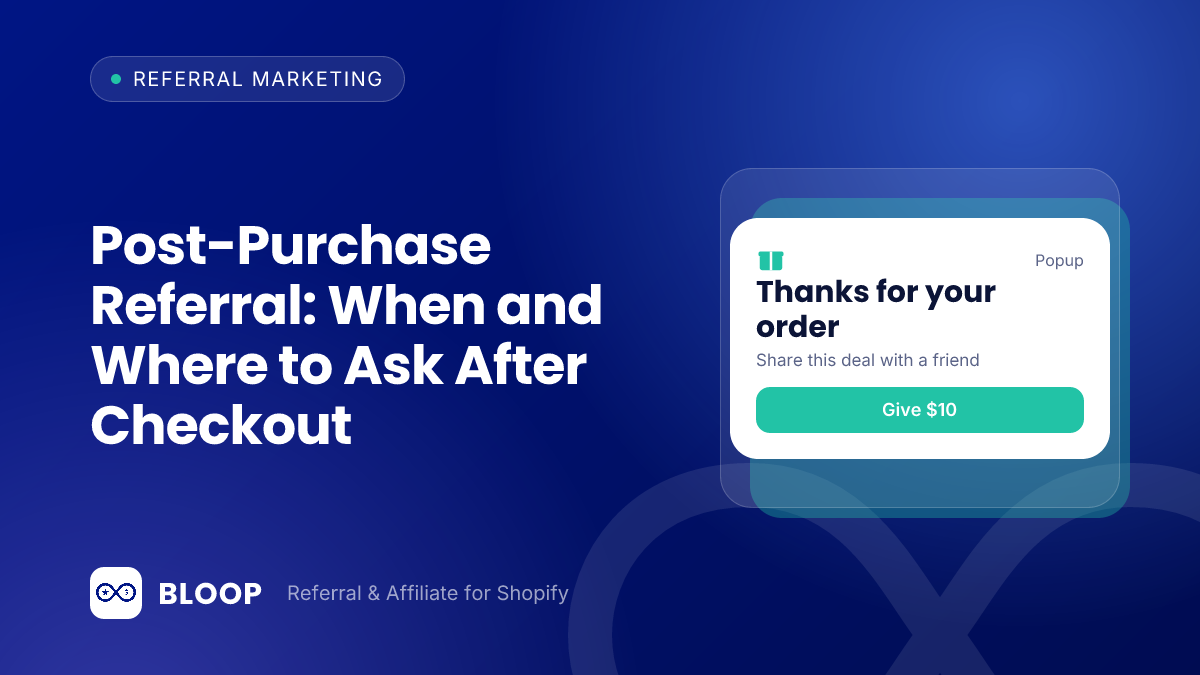
A post-purchase referral is a request, made after a customer has paid, to share a personal referral link with a friend. It works best on the thank-you page right after checkout and again around delivery, and the right timing depends on how quickly your product proves itself in the customer’s hands.
Most guides tell you to “ask happy customers.” This one answers the harder question: which moment, on which screen, with which words. It covers five places to ask, a timing table by product type, copy to adapt, and a worked example of what each placement can earn. For full email wording, see our referral email templates; here the focus is placement and timing.
Key takeaways
- Ask in two waves: once on the thank-you page, while the order is fresh, and once after the product has arrived and worked.
- Match the second ask to the product’s first moment of value. A candle can be judged in a day; a 30-day supply of supplements cannot.
- Keep shipping and delivery emails mostly transactional, because under CAN-SPAM a message that leads with promotion can be treated as commercial.
- Never tie a referral reward to the content of a review. The FTC’s reviews rule bars incentives conditioned on a particular sentiment.
- Trigger rewards on the same timeline as your return window, so you do not pay out on orders that come back.
What counts as a post-purchase referral ask
A post-purchase ask is any invitation to refer that is triggered by an order the customer has already placed. Unlike a storefront widget or a newsletter blast, the customer is known, the order is known, and you can name the product they bought.
That context is the whole advantage. This guide assumes ordinary customers sharing links with friends, not creators.
| Touchpoint | When it appears | Channel | What the customer is thinking | Job of the ask |
|---|---|---|---|---|
| Thank-you page | Seconds after payment | On-site, checkout | “Did my order go through?” | Capture the link while excitement is highest |
| Order status page | Every time they check the order | On-site, customer account | “Where is my package?” | Repeat exposure with no extra email |
| Shipping confirmation | When the order is fulfilled | “It is on the way.” | Light mention only, tracking first | |
| Delivered email | After delivery | “Is this any good?” | Ask once the product has had time to prove itself | |
| Review follow-up | After the review request | Email, review page | “I already gave feedback.” | Convert a satisfied reviewer into a sharer |
Why the moment after purchase is worth designing
Referral works because people believe other people. The Nielsen Global Trust in Advertising Survey found that 83% of global respondents said they completely or somewhat trust recommendations from friends and family, and 66% said the same about consumer opinions posted online. The survey polled 30,000 online respondents in 60 countries, and Nielsen notes that responses reflect claimed behavior rather than metered data, so treat it as direction, not a forecast of your conversion rate.
Reviews matter in the same moment. The Medill Spiegel Research Center study on online reviews reports that the purchase likelihood for a product with five reviews is 270% greater than the purchase likelihood of a product with no reviews.
Automated email also earns more attention than one-off blasts. Klaviyo 2026 email benchmarks, based on data from over 183,000 Klaviyo customers, put the average click rate at 5.58% for flows against 1.69% for campaigns. None of these sources isolates referral requests or post-purchase timing, so the placement advice below is a recommendation to test, not a measured law.
The five moments to ask, in order
1. The thank-you page
This is the highest-reach placement because most customers see it once, right after paying. Shopify’s developer documentation lists a block target named purchase.thank-you.block.render, described as “A block target that renders exclusively on the Thank you page.” The same page also lists static targets for the header and footer.
Shopify’s guide to customizing the Thank you and Order status pages names the use cases apps handle there: survey requests, product reviews, upsell offers, social sharing and download links for digital goods. Referral competes with upsells for attention here, so give it one clear job.
BLOOP ships this as a checkout UI extension. Its post-purchase widget documentation says the block must be placed manually in the checkout editor, and gives the steps:
- Open Branding in BLOOP and select your theme.
- Choose Customize and open the Post-purchase popup card.
- Select Edit in checkout editor, then choose the Thank you page.
- Click Add app block, select BLOOP’s Referral block, position it and save.
The same page advises leading with the referee’s reward rather than your ask, and keeping the message to one sentence and one button. That matches how people behave on a confirmation screen: they are scanning for the order number, not reading a pitch.
2. The order status page
The order status page is where customers return to track a package, so it gives you repeat exposure at no email cost. Shopify’s customer account extension targets include customer-account.order-status.block.render, described as “A block target that renders exclusively on the Order status page.” The page also has static targets after the line items, fulfillment details and payment details.
BLOOP’s customer account extension adds a referral link block that its documentation lists for the order status page, the order index and the profile page. Customers open this page several times between payment and delivery, so use a quiet, always-visible link rather than a loud banner.
3. Shipping and delivery emails
Shopify’s customer notifications documentation lists four fulfillment notifications: Shipping Confirmation is “Sent when an order is fulfilled”, Shipping Update is “Sent when tracking information is updated”, Out for Delivery is “Sent when a shipment is out for delivery”, and Delivered is “Sent when a shipment is delivered.”
Be careful with how much promotion you add. The FTC’s CAN-SPAM compliance guide defines a transactional or relationship message as one that “facilitates, completes, or confirms a commercial transaction that the recipient already has agreed to.” For mixed messages, it says that if the transactional content does not appear mainly at the beginning of the message, the primary purpose is commercial. The guide also states that each separate email in violation of the CAN-SPAM Act is subject to penalties of up to $53,088. This is not legal advice, but the safe pattern is simple: tracking details first and a brief referral line last, or a separate marketing email timed to delivery for the full ask.
On paid plans, BLOOP syncs each advocate’s personal link to Klaviyo. Its Klaviyo integration page lists BLOOP Campaign Links and BLOOP Campaign Codes as profile properties, “Their personal referral link and code, per campaign.” That means a Klaviyo flow can insert the customer’s own link into a delivery-timed email, and you do not need a generic “visit our referral page” line.
4. The review request
A review request and a referral request come from the same feeling, satisfaction, so pair them in sequence rather than in the same sentence. Ask for the review first. Once it is submitted, the confirmation screen or the next email can invite the customer to share with friends.
Keep the two asks legally and ethically separate. The FTC’s Consumer Reviews and Testimonials Rule Q&A says an entity could be liable under Section 465.4 if it provides “compensation or other incentives conditioned on the writing or creation of consumer reviews expressing a particular sentiment.” The rule does not ban incentives for reviews as such, but it bars requiring a particular sentiment. The rule went into effect on October 21, 2024. A referral reward should depend on a friend’s qualifying order, never on what the referrer wrote in a review.
5. The reminder
Not every customer will act on the first ask. BLOOP’s referral emails include a “Remind referrer to refer” email, described as a recurring nudge to referrers who have not referred anyone yet, plus reward reminders for unused discount codes. Use one reminder, 30 to 45 days after delivery for most products, and stop, because every send has a price (see the unsubscription rate below).
What the benchmark data says about post-purchase email
Email platforms publish benchmarks that are the closest official numbers for automated email. Both average across industries and list sizes, and neither separates referral asks from other flow emails, so use them as a sanity check, not as targets.
| Metric | Figure | Source and scope |
|---|---|---|
| Average open rate, flows | 32.2% | Klaviyo 2026 benchmarks, over 183,000 customers |
| Top 10% open rate, flows | 45.8% | Same page |
| Average click rate, flows | 5.58% | Same page |
| Average click rate, campaigns | 1.69% | Same page |
| Share of flow revenue from new buyers | Nearly 48% | Same page, compared with 16% for campaigns |
| Average open rate, ecommerce | 29.81% | Mailchimp email marketing benchmarks, last updated December 2023 |
| Average click rate, ecommerce | 1.74% | Same page |
| Unsubscription rate, ecommerce | 0.19% | Same page |
Klaviyo reports an average flow open rate of 32.2%, and nearly 48% of flow-driven email revenue comes from new buyers, compared with 16% from campaigns. Mailchimp lists an average ecommerce open rate of 29.81% and an ecommerce unsubscription rate of 0.19%. Two calculations make the numbers usable. First, Klaviyo’s headline that flows get over 3 times the click rate checks out: 5.58 ÷ 1.69 = 3.30. Second, the Mailchimp unsubscription rate lets you price an extra email. Adding one more send to 1,000 customers at the ecommerce average of 0.19% costs about 1,000 × 0.0019 = 1.9 unsubscribes. If a referral email brings in more value than 1.9 lost subscribers, it earns its place.
Timing by product type
The best second ask lands after the customer has experienced the product but before the glow fades. The rule of thumb is: ask day = delivery day + days to first result. The table gives starting points, which are recommendations to test rather than measured benchmarks.
| Product type | Days to first result | Suggested second ask | Reward trigger to consider |
|---|---|---|---|
| Candles, small gifts, accessories | 1 to 3 | Delivery day + 2 | Paid, short review period |
| Apparel and footwear | 3 to 7 (fit and feel) | Delivery day + 7 | Fulfilled, after fit is known |
| Skin care and beauty | 14 to 28 (visible effect) | Delivery day + 21 | Fulfilled, wait out the return window |
| Supplements and food (30-day supply) | 20 to 30 | Delivery day + 21 to 25 | Fulfilled, wait out the return window |
| Electronics and high-ticket items | 2 to 7 (setup works) | Delivery day + 7 | Fulfilled, longer review period |
| Gifts bought for someone else | Depends on recipient | Skip the delivery ask, use the thank-you page only | Paid |
Worked example: a skin care brand ships a serum with a 28-day usage guide. The carrier marks the order delivered on day 4 after purchase. Days to first result is about 21 (the middle of the 14 to 28 range). Second ask = day 4 + 21 = day 25 after purchase. The thank-you page ask happened on day 0, so the customer sees two invitations 25 days apart, not five invitations in a week.
Real brands that ask after the order
Few brands publish how their referral timing works, but some state it in their own program terms. These examples come from pages I opened in October 2026. Rates and terms change, so confirm them on the linked page before you copy anything.
| Brand | Where the ask appears | Reward (as of October 2026) | Timing and conditions stated on the page |
|---|---|---|---|
| Trezor | Order confirmation screen and email | Friend: 10% off first order. Referrer: $20 USD (or local equivalent) in Trezor Shop credit | Credit arrives after 3 weeks; up to 50 referrals, $1,000 maximum; bonus void if a referral returns their order |
| ESR | Dedicated referral page; discount code emailed to the referrer | Friend: 12% off first order. Referrer: points worth 10% of their order value | Email within 40 days confirming the reward; ESR checks that no refunds were requested within 30 days after shipment |
| Three (UK mobile network) | Dedicated page; link emailed on request | Up to £80 cashback, splittable with the friend | Cashback about seven weeks after the order, up to 90 days depending on the product, to allow for returns |
Trezor puts the link where customers already are after paying: its page says you will see it on the order confirmation screen and receive it by email. ESR and Three both delay the reward until the return period is over. All three pages describe terms, not results, so they show common practice, not what performs best.
Match the reward timing to the ask timing
The ask and the payout are two separate clocks. You ask on day 0 and day 25, but the referrer should be paid only when the friend’s order has survived the return window. BLOOP’s reward timing documentation says rewards can be granted when an order is “Paid” (the default, fastest) or “Fulfilled” (after shipment), with a review period that delays approval by a number of hours. The default review period is 6 hours, and you can set it to zero for instant approval or raise it for high-value rewards.
For revocation, the same page offers three options: revoke when orders are canceled or refunded (the default), only when canceled, or only when refunded. It also defines a refund precisely: BLOOP treats an order as refunded when 90% or more of its item value has been refunded, and shipping is not counted.
Worked example: a friend orders items worth $80 and pays $10 shipping. The 90% line is 0.90 × $80 = $72 of item value.
| Refund | Item value refunded | Share of item value | Treated as refunded? |
|---|---|---|---|
| $60 refund | $60 | $60 ÷ $80 = 75% | No, reward stays |
| $71 refund | $71 | $71 ÷ $80 = 88.75% | No, reward stays |
| $72 refund | $72 | $72 ÷ $80 = 90% | Yes, reward revoked |
| $80 refund plus $10 shipping | $80 | $80 ÷ $80 = 100% | Yes, reward revoked |
If your return window is 30 days, a “Paid” trigger with a 6-hour review will pay referrers well before most returns happen. The cost of that speed is the occasional refunded order that was already rewarded. For apparel or high-ticket items, use “Fulfilled” with a longer review period. The tradeoff between cash-like rewards and credit is covered in store credit vs discount referral rewards, and the broader menu of rewards is in our guide to the best referral incentives.
Copy examples for each touchpoint
Good post-purchase copy names the reward, names the benefit to the friend, and asks for one action. These are starting points; replace the amounts with your own program terms.
| Touchpoint | Headline | Body | Button |
|---|---|---|---|
| Thank-you page | Give 15%, get $10 | Your friends get 15% off their first order. You get $10 store credit when they buy. | Get my link |
| Order status page | Know someone who would like this? | Share your link. They save 15%, you earn $10 credit. | Copy link |
| Delivered email | How is the [product name]? | If it is working for you, send a friend 15% off. You earn $10 credit after their order. | Share my link |
| After a review | Thank you for the review | Want to share it with a friend? They get 15% off. | Send to a friend |
| Reminder | Your link is still active | Your link gives friends 15% off. One share is enough to earn $10. | Share again |
Three rules keep the copy honest. State the reward conditions plainly, for example “when they buy”. Avoid urgency you cannot back up. And keep the subject line honest to the content, because an ad-like subject on an email that should be transactional is the pattern the CAN-SPAM guide warns about.
Worked example: what each touchpoint can earn
The numbers here are assumptions for a hypothetical store, not benchmarks. Replace them with your own data. The store has 1,000 orders a month, an average order value of $60 and a 55% gross margin. Referred friends get 10% off ($6.00), and the referrer gets a $10 store credit, counted at full face value to stay conservative.
Profit per referred order: gross profit is $60 × 0.55 = $33.00. Subtract the friend’s discount of $6.00 to get $27.00. Subtract the referrer’s $10.00 credit to get $17.00 per referred order.
Referred orders per touchpoint use one formula: sharers × 3 friends reached per sharer × 8% of reached friends who buy. That multiplier is 3 × 0.08 = 0.24 referred orders per sharer.
| Touchpoint | Assumed sharers per 1,000 orders | Referred orders (sharers × 0.24) | Profit (orders × $17.00) |
|---|---|---|---|
| Thank-you page | 40 | 9.60 | $163.20 |
| Order status page | 12 | 2.88 | $48.96 |
| Shipping confirmation line | 10 | 2.40 | $40.80 |
| Delivered email | 18 | 4.32 | $73.44 |
| Review follow-up | 6 | 1.44 | $24.48 |
| Total | 86 | 20.64 | $350.88 |
Check the total: 40 + 12 + 10 + 18 + 6 = 86 sharers, and 86 × 0.24 = 20.64 orders. 20.64 × $17.00 = $350.88, which matches the sum of the profit column ($163.20 + $48.96 + $40.80 + $73.44 + $24.48 = $350.88). This assumes the same customer does not share from several touchpoints, which overstates the real total. Treat the table as a ranking tool, not a forecast.
The thank-you page leads because everyone sees it. Now test how sensitive that result is to the share rate, which is the number you are least sure about.
| Thank-you page share rate | Sharers per 1,000 orders | Referred orders (× 0.24) | Profit (× $17.00) |
|---|---|---|---|
| 2% | 20 | 4.80 | $81.60 |
| 4% | 40 | 9.60 | $163.20 |
| 6% | 60 | 14.40 | $244.80 |
The share rate is only half the story. Not every referred buyer is a new customer: some would have bought anyway and now receive a discount and a credit they did not need. Suppose 30% of the 9.60 thank-you page orders were not incremental.
| Group | Orders | Net profit per order | Net result |
|---|---|---|---|
| Incremental (70%) | 9.60 × 0.70 = 6.72 | $33.00 − $6.00 − $10.00 = $17.00 | 6.72 × $17.00 = $114.24 |
| Not incremental (30%) | 9.60 × 0.30 = 2.88 | −($6.00 + $10.00) = −$16.00 | 2.88 × −$16.00 = −$46.08 |
| Total | 9.60 | $114.24 − $46.08 = $68.16 |
So the thank-you page still earns $68.16 per 1,000 orders in that case, down from $163.20. The break-even share is the point where the two groups cancel: 17x = 16(1 − x), which gives 33x = 16 and x = 16 ÷ 33 = 48.5%. If fewer than about 48.5% of referred buyers are truly new, the placement loses money at these reward levels. For the full method, including lifetime value, see how to calculate referral program ROI.
Fraud and consent checks before you launch
A thank-you page link is easy to claim, which also makes it easy to abuse. A buyer can send the link to themselves or to a second email address and collect a reward on their own next order. Decide your self-referral rules before the placement goes live, and read our guides to self-referral and referral fraud for the patterns to watch. A review period on rewards, as described above, gives you time to catch these before payout.
A 14-day plan to test your placements
- Day 1: Set the rewards for each side and the trigger (Paid or Fulfilled) based on your return window.
- Day 2: Add the referral block to the Thank you page in the checkout editor, using one sentence and one button.
- Day 3: Add the referral link block to the order status page through the customer account editor.
- Days 4 to 7: Change nothing else and record sharers and referred orders from the thank-you page alone as your baseline.
- Day 8: Add one second-wave email timed to the delivery date plus your product’s days to first result. Insert the personal link from your email platform.
- Days 9 to 14: Compare sharers per 1,000 orders for each placement against the worked example.
- Day 14: Keep the placements with the best profit per 1,000 orders and drop any that add unsubscribes without referred orders.
If you want to run this without building the extensions yourself, BLOOP’s referral program app for Shopify includes the post-purchase widget, the account blocks and the reward timing settings described above. The Free plan costs $0 and covers up to $400 of attributed revenue per 30 days with unlimited orders, enough for a small test; paid plans start at $39 a month (Starter, up to $2,500). The block shows the buyer’s own link and code, and a QR code if you add the QR code channel. See the pricing plans for details.
Frequently Asked Questions
When is the best time to ask for a referral after a purchase?
Ask twice. The first ask belongs on the thank-you page, right after payment, when the customer has just committed. The second belongs after the product has had time to prove itself, which you can estimate as delivery day plus the days it takes to see a first result.
Should I put the referral ask in the shipping confirmation email?
Only as a short line below the tracking details, or not at all. Under the FTC’s CAN-SPAM guidance, a message whose transactional content does not appear mainly at the beginning can be treated as commercial. A separate email timed to delivery is easier to defend and easier to measure.
What is the difference between the thank-you page and the order status page?
The thank-you page appears right after checkout and suits a single, immediate ask. The order status page is part of the customer account experience, and customers return to it to track an order, so it suits a quiet link that stays visible. Shopify exposes separate extension targets for each, so you can run both.
Can I reward customers for leaving a review and for referring a friend?
You can ask for both, but keep the rewards separate. The FTC’s reviews rule bars incentives conditioned on a review expressing a particular sentiment, so reward a friend’s qualifying order, not the content of a review. Ask for the review first, then the referral.
How long should I wait before paying a referrer?
Wait at least until the order is paid and the review period ends, and longer for products with high return rates. BLOOP’s default review period is 6 hours, and rewards can trigger on Paid or Fulfilled orders. Brands like ESR and Three wait 30 days or more to account for returns.
What if the same person refers themselves?
Set rules before launch. Use a review period so you can check orders before rewards are issued, limit rewards to first orders from new customers, and look at flagged orders by hand. The self-referral guide linked above covers the patterns and controls in more detail.