What Is Referral Spam And How To Protect Your Shopify Store Data
You check your Shopify analytics and see a sudden spike in referral traffic from dozens of unfamiliar websites—but zero sales to show for it. That’s referral spam: fake bot traffic that floods your reports with phony referrer URLs, making it nearly impossible to tell which marketing channels actually drive revenue.
This guide walks you through what referral spam is, how it distorts your store data, and the exact filters and prevention strategies you can implement today to protect your analytics and make confident decisions based on clean insights.
What Referral Spam Means For Shopify Reports
Referral spam is fake traffic generated by bots that shows up in your analytics reports as if real websites are sending you visitors. Spammers create these phony referrer URLs hoping you’ll get curious, click through to investigate, and land on their sketchy promotional sites. The key difference from legitimate referral traffic is simple: these bots never actually visit your store—they just inject false data straight into your Google Analytics tracking code.
Think of it like getting phantom doorbell rings where nobody’s actually at your door. The notification appears in your system, but there’s no real visitor behind it.
How Spam Referrer Traffic Skews Customer Insights
When fake referrals flood your Shopify analytics, they mess up the numbers you rely on to make smart business decisions. Your visitor counts shoot up artificially while your conversion rates tank, making it nearly impossible to figure out which marketing efforts actually work.
Here’s what gets thrown off track:
- Session counts: Visitor numbers inflate artificially, making growth look better than reality
- Bounce rates: Bots hit one page and vanish instantly, skewing engagement metrics to 100%
- Revenue attribution: Sales get credited to wrong sources, hiding which channels truly drive purchases
- Average session duration: Spam traffic shows 0 seconds on site, dragging down real customer engagement
The real danger isn’t just messy data—it’s making expensive choices based on lies. If you’re pouring money into a marketing channel that looks profitable but is actually drowning in spam referrals, you’re burning cash while genuine opportunities slip by unnoticed.
Why Bots Target Shopify Stores
Shopify stores make particularly juicy targets because Google Analytics tracking codes sit right there in your site’s source code. Spammers scan for these codes and fire fake hits directly to your property ID without ever loading your actual website. They’re banking on human curiosity—you see a weird domain in your reports, visit it to investigate, and boom, they got the traffic and visibility they wanted.
This tactic costs spammers almost nothing to execute at massive scale. That’s why thousands of stores see identical fake referrers like “free-social-buttons.com” or “best-seo-offer.xyz” showing up simultaneously across the web.
While referral spam doesn’t directly harm your SEO rankings or site security, it absolutely wrecks the integrity of your analytics. What could be a goldmine of customer insights turns into a confusing mess of real data mixed with garbage.
Spotting Referral Spam In Shopify Analytics And GA4
Catching referral spam early saves you from months of misguided marketing decisions. The good news is fake traffic leaves obvious fingerprints once you know what to look for.
Sessions By Referrer In Shopify
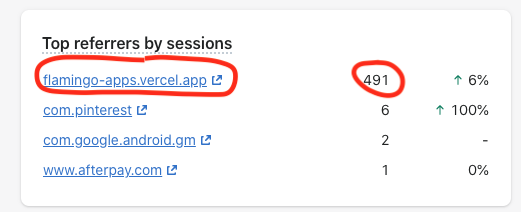
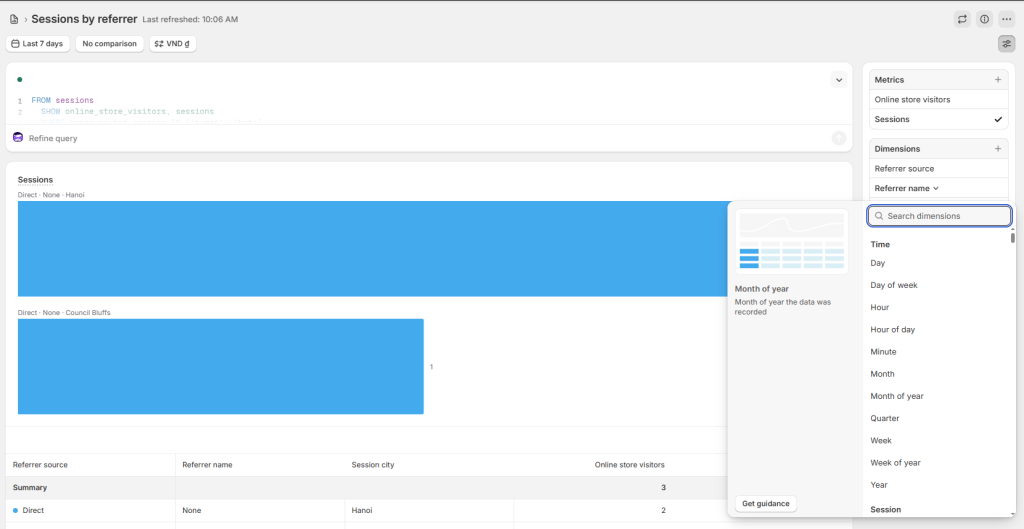
Head to your Shopify admin and navigate to Analytics > Reports > Sessions by referrer to see where your traffic claims to originate. Legitimate referrers like Google, Facebook, or partner sites typically show some conversion activity and reasonable engagement times.
Spam referrers display telltale signs: 100% bounce rates, zero conversions, and session durations of exactly 0 seconds. You’ll often spot suspicious domain names that scream spam—things like “buttons-for-website.com,” “free-share-buttons.top,” or random strings followed by “.xyz” or “.info” extensions.
If you see sudden spikes in traffic from countries you don’t target or from sites you’ve never heard of, that’s your red flag waving frantically.
Referral Channel Report In GA4
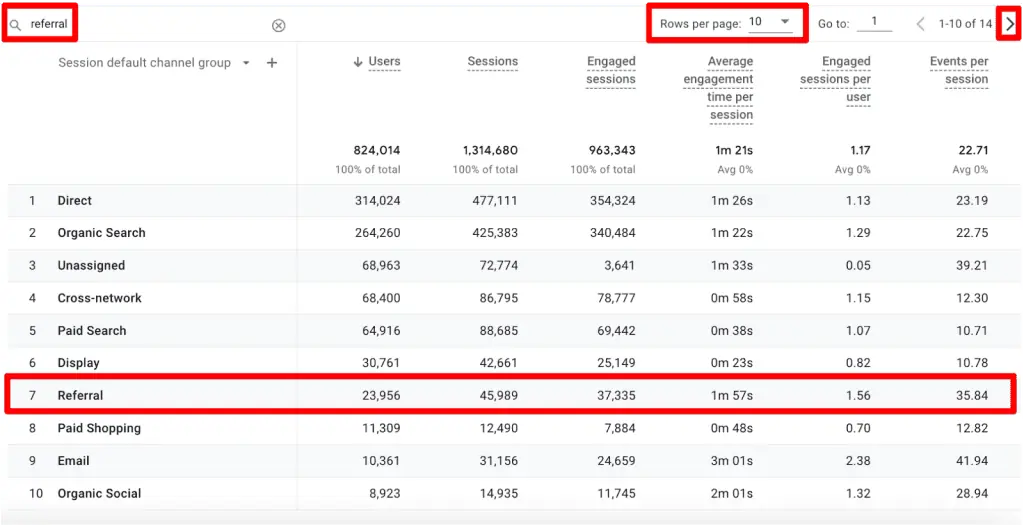
Google Analytics 4 gives you a clearer view through the Acquisition > Traffic acquisition report, where you can filter by session source to examine referral traffic specifically. Look for patterns like multiple sessions on the same date from domains that sound promotional or SEO-focused.
Spam domains often include keywords like “seo,” “buttons,” “analytics,” or “best” in their names, making them relatively easy to identify once you’re paying attention. Cross-reference suspicious referrers with your actual sales data—if a source shows hundreds of sessions but zero purchases or even add-to-carts, you’re almost certainly looking at spam rather than real visitors.
Bounce Rate And Time On Page Red Flags
Bounce rate measures the percentage of visitors who land on your site and leave without interacting, while session duration tracks how long they stick around. Real customers browse products, read descriptions, and spend at least a few seconds on your pages.
Spam bots hit your tracking code and disappear instantly, creating sessions with 0:00 duration and 100% bounce rates. When you spot referrers with extreme metrics like this—especially combined with zero revenue—you’ve found your spam culprits. Even low-intent traffic from legitimate sources typically shows some engagement, so the complete absence of activity is a dead giveaway.
Is Referral Spam Hurting Your Referral And Affiliate Programs?
If you’re running referral marketing campaigns, spam traffic creates a particularly frustrating problem because it obscures the performance of your actual referral partners. When fake referrals contaminate your data, you can’t accurately measure which customers or affiliates are driving genuine sales.
Clean analytics data becomes even more critical when you’re paying commissions or issuing credits based on referral performance. The last thing you want is to question whether a spike in referral traffic represents legitimate customer advocacy or just another bot attack.
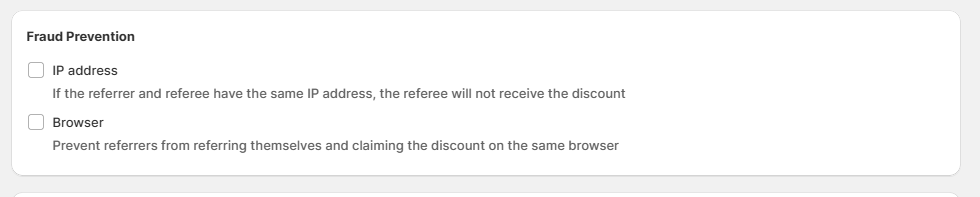
This is why fraud prevention built into your referral program—like Bloop’s verification layer—protects both your budget and your ability to reward real advocates fairly. When your referral data stays clean, you can confidently optimize rewards and identify top advocates without second-guessing the numbers.
Step-by-Step Filters To Remove Fake Traffic
Cleaning up your analytics takes a methodical approach, but the payoff is data you can actually trust for decision-making. Here’s how to systematically eliminate spam referrers from your reports.
1. Create An Unfiltered Backup View
Before you start applying filters that permanently alter your data, duplicate your main Google Analytics view to preserve a complete, unfiltered record. This backup lets you compare filtered versus raw data and recover if something goes wrong with your filter settings.
In GA4, you can create additional data streams or use comparison features to maintain this safety net. Think of it as keeping the original receipt while you work with a copy.
2. Enable Bot Exclusion Settings
Google Analytics includes a built-in bot filtering option that blocks traffic from known spiders and crawlers automatically. In Universal Analytics, you’ll find this under View Settings as “Exclude all hits from known bots and spiders.”
GA4 handles this differently through data filters, but the principle remains the same—turn on automatic bot exclusion to catch the most obvious spam without manual intervention. This setting won’t catch everything since new spam domains pop up constantly, but it’s your first line of defense and takes just seconds to activate.
3. Add Custom Referral Exclude Filters
For persistent spam domains that slip through automatic filters, you’ll want to create custom exclusions. In GA4, navigate to Admin > Data Streams > Configure tag settings > Show more > List unwanted referrals, then add the specific spam domains you’ve identified.
This tells Google Analytics to ignore traffic claiming to come from those sources entirely. You’ll want to update this list regularly as new spam domains emerge—think of it as ongoing maintenance rather than a one-time fix.
| Filter Type | Use Case | Effectiveness |
| Hostname filter | Blocks traffic from fake domains that don’t match your actual site | High |
| Campaign source filter | Removes specific spam sources from acquisition reports | Medium |
| Referral exclusion | Prevents internal Shopify traffic and known spam domains from appearing | High |
4. Update htaccess Or Nginx Rules
If you’re comfortable with server configuration, you can block spam referrers before they even reach your analytics by adding rules to your .htaccess file (Apache) or nginx.conf (Nginx). This approach stops the bots at the door rather than just filtering them out of reports.
A basic .htaccess rule looks like this: RewriteCond %{HTTP_REFERER} spam-domain\.com [NC] RewriteRule .* – [F]. This method requires technical knowledge and access to your server files, so it’s better suited for stores with development resources. However, it’s the most thorough solution since it prevents spam traffic from consuming server resources or triggering abandoned cart emails.
Proactive Measures To Block Future Bot Visits
Once you’ve cleaned up existing spam, the focus shifts to preventing new attacks from contaminating your fresh data. A few proactive steps dramatically reduce your ongoing spam exposure.
Use CAPTCHA Or Firewall Rules
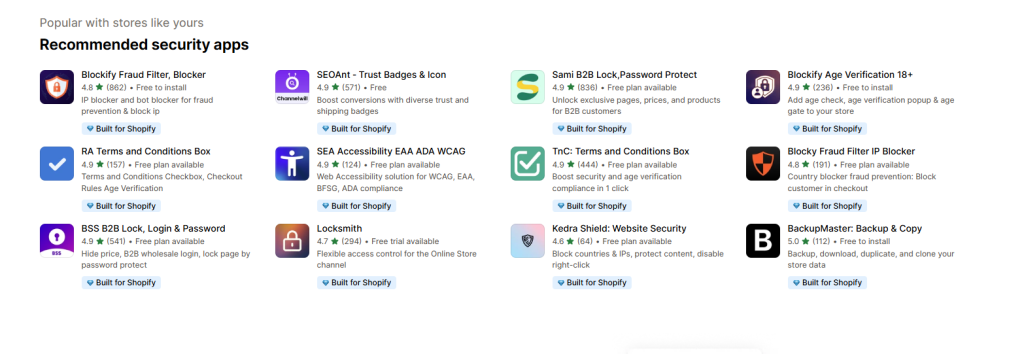
Security apps from the Shopify App Store can identify and block suspicious traffic patterns before they reach your analytics. Look for firewall solutions that filter requests based on geographic location, known bot signatures, and unusual access patterns.
CAPTCHA challenges on key pages like checkout also help distinguish real customers from automated scripts, though you’ll want to balance security with user experience. Nobody likes clicking traffic lights for five minutes just to buy a t-shirt.
Monitor Over 70 Known Spam Domains Weekly
Set aside time each week to review your referral reports and catch new spam sources early. Maintaining an updated list of known spam domains—many SEO blogs publish these regularly—helps you spot familiar culprits quickly.
When you identify a new spam referrer, add it to your exclusion list immediately before it accumulates weeks of bad data. This weekly check-in takes about 10 minutes but saves hours of confusion later when you’re analyzing campaign performance.
Automate Alerts For Traffic Spikes
Configure custom alerts in Google Analytics to notify you when referral traffic from a single source jumps abnormally. If a domain suddenly sends 500 sessions in a day when your typical referrer sends 20, you’ll want to investigate immediately.
These alerts act as an early warning system, letting you respond to spam attacks within hours rather than discovering them months later during a quarterly review. Quick action keeps your data cleaner and your insights sharper.
Recommended Apps And Tools For Ongoing Protection
Busy Shopify merchants benefit from solutions that work automatically without constant manual oversight. Here are practical tools that keep spam at bay while you focus on growing your business.
Shopify Firewall And Security Apps
Apps like Locksmith, Fraud Filter, or Shopify’s own fraud analysis tools help identify and block malicious traffic patterns. These solutions monitor visitor behavior in real-time and can automatically block IP addresses or geographic regions associated with spam activity.
While they primarily focus on security threats, many also reduce analytics spam as a side benefit. The investment typically pays for itself by protecting both your data integrity and your site security.
GA4 Debugging And Filter Extensions
Browser extensions like Google Analytics Debugger or GA4 Helper make it easier to identify tracking issues and verify that your filters are working correctly. These tools show you exactly what data is being sent to your analytics property, helping you spot anomalies that might indicate spam or misconfiguration.
Bloop Fraud Prevention Layer
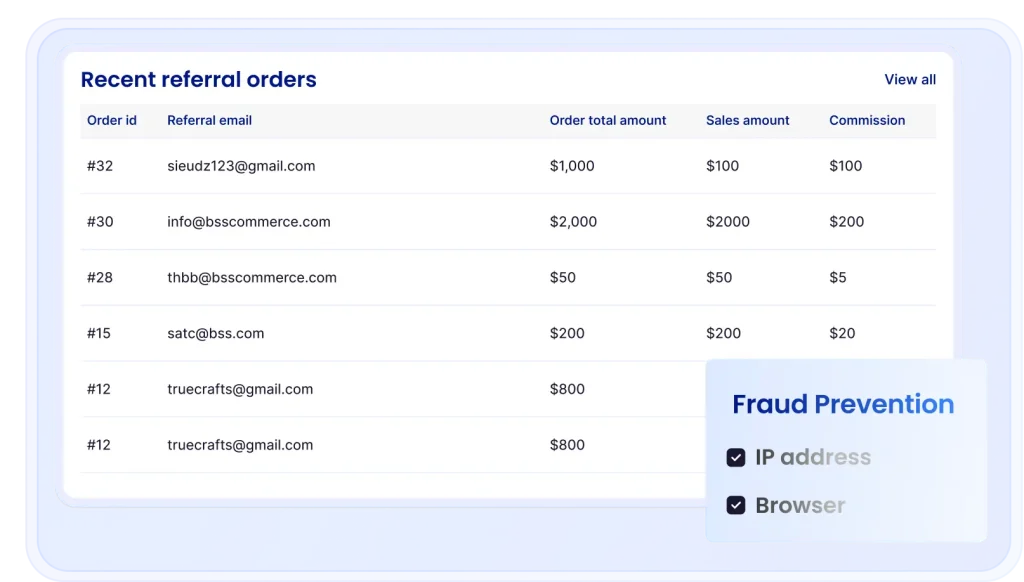
When you’re running referral campaigns, Bloop’s built-in fraud detection ensures that only legitimate referrals get tracked and rewarded. The platform monitors for suspicious patterns like rapid-fire referral attempts, fake email addresses, or referrals that never convert, automatically flagging questionable activity before it affects your program metrics.
This means you can trust your referral data to make smart decisions about rewards, top advocates, and program optimization without second-guessing whether that traffic spike represents real customers or spam bots.
Protect Your Data And Grow With Trusted Referrals
Clean analytics data isn’t just about accurate reports—it’s the foundation for every smart marketing decision you make. When you eliminate referral spam, you finally see which channels genuinely drive sales, which campaigns deserve bigger budgets, and which customer segments convert best.
This clarity transforms your Shopify store from guessing based on polluted data to confidently investing in strategies that actually work. The effort you put into filtering spam and preventing future attacks pays dividends every time you review your analytics.
You’ll spot trends faster, optimize campaigns with confidence, and avoid wasting money on channels that only look profitable because bots inflated the numbers. And when you’re ready to harness the power of authentic word-of-mouth marketing, get started with fraud-protected referral marketing that keeps your data clean and your advocates rewarded fairly.
FAQs About Referral Spam And Shopify Data
Does referral spam hurt SEO rankings?
Referral spam only affects your analytics reports and doesn’t directly impact your search engine rankings. However, it can mislead your marketing decisions if left unaddressed, causing you to invest in the wrong channels or overlook genuine opportunities.
Can I recover misreported revenue figures?
Historical spam data can’t be removed retroactively from Google Analytics, but you can apply filters going forward to ensure accurate future reporting. Your best bet is to note when you implemented filters so you can mentally adjust for the contaminated period when analyzing long-term trends.
How often should referral spam filters be reviewed?
Review your referral reports monthly to identify new spam sources and update your filters accordingly. New spam domains appear regularly and require ongoing monitoring, so treat this as routine maintenance rather than a one-time project.

Hien Tran
Hien Tran is a Product Marketing specialist at Bloop, where she translates product features into growth-driven solutions for Shopify merchants. By combining market insights with clear messaging, Hien ensures that store owners not only understand Bloop’s value but also know how to apply it to boost revenue, loyalty, and customer acquisition.